How long do robot vacuums last? Lifespan, parts and when to replace
How many years a robot vacuum really lasts, which parts wear out first (battery, brushes, filters), replacement intervals, signs it's time to replace, and how to extend its life.
LandGadget Newsroom · · 6 min read
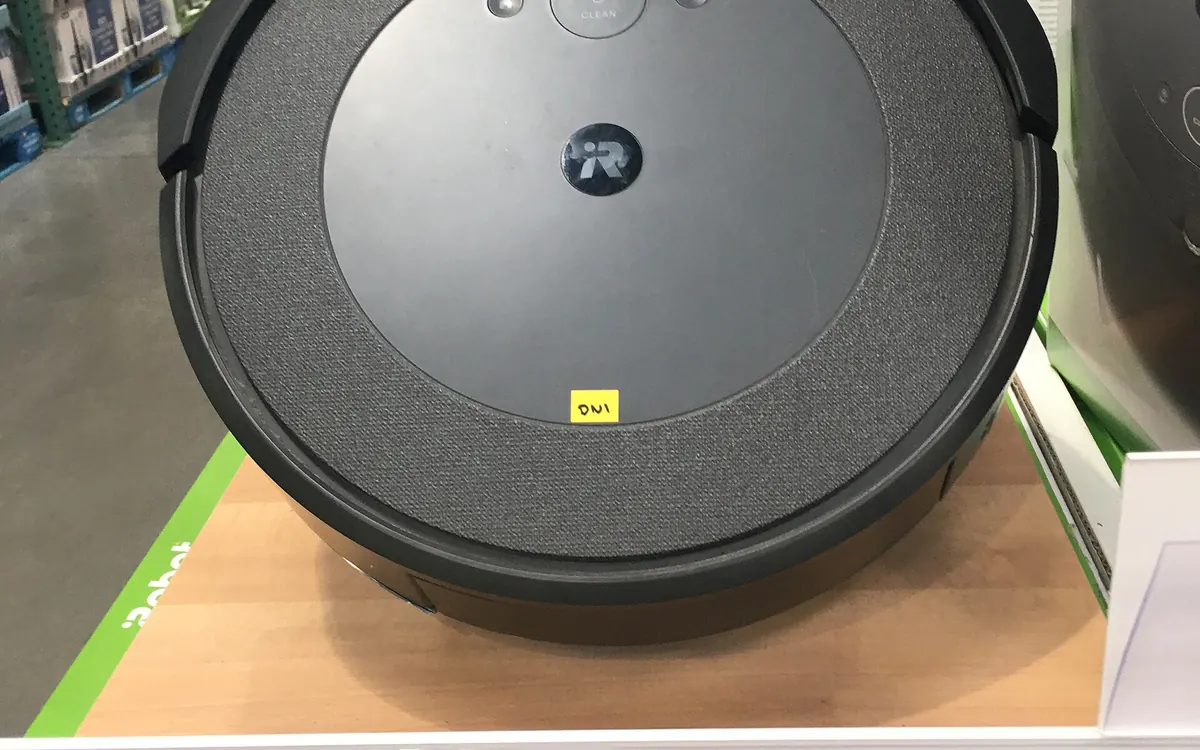
A robot vacuum is not a one-off purchase like a kettle: it is a small battery-powered machine with moving parts, sensors and an app that all age at different speeds. The good news is that most of what wears out is cheap and replaceable. Here is how long a robot vacuum typically lasts, what fails first and how to get more years out of yours.
How many years does a robot vacuum last?
There is no official industry figure, but the range you will see quoted by manufacturers' support pages and repair communities is roughly 4 to 6 years for a mid-range or premium model that is maintained, with some going well beyond that once the battery is replaced. Budget models with no spare parts available may last only 2–3 years before something non-replaceable fails.
What really decides lifespan:
- How often it runs. A robot cleaning twice a day in a house with pets does several times the work of one cleaning a small flat twice a week.
- Maintenance. Hair wrapped around brush bearings and clogged filters make the motors work harder and run hotter.
- Spare parts and software support. If you cannot buy a new battery or the app stops working, a healthy robot becomes e-waste.
- Your floors. Thick carpet, sand and pet hair wear brushes and wheels faster. See our guide to robot vacuums on carpet vs hard floors.
Which parts wear out, and when
Manufacturers publish their own replacement intervals in the manual or app — always follow those. As a general guide:
| Part | Typical sign of wear | Usual approach |
|---|---|---|
| Filter | Weaker suction, dust smell | Tap out weekly; replace every few months |
| Side brush | Bent or frayed bristles | Replace every few months |
| Main brush / roller | Worn bristles, damaged ends | Clean weekly; replace roughly yearly |
| Mop pads | Streaks, smell | Wash after use; replace when worn |
| Battery | Shorter runs, can't finish map | Replace when runtime drops noticeably |
| Wheels / bearings | Clicking, getting stuck | Clean; replace modules if available |
For step-by-step cleaning of each part, see how to clean a robot vacuum.
The battery: the part that ages first
Almost all modern robots use lithium-ion batteries, which lose capacity gradually with charge cycles and heat. A robot that runs every day goes through hundreds of cycles a year, so after a couple of years you may notice it returns to the dock to recharge mid-clean or no longer finishes the whole map.
That is not the end of the robot. On many models the battery sits behind a few screws under the robot and is sold as a spare. Buy the official or a reputable compatible battery with the right voltage and connector — cheap no-name packs are a fire and reliability risk. If your robot has a self-emptying base, the dock itself rarely limits lifespan, but its bags and filter are an ongoing cost (is a self-emptying dock worth it?).
Signs it's time to replace the robot
Repair first if the fix is cheap. Consider replacing when:
- The main board or drive motor has failed and the repair costs a large share of a new robot.
- The manufacturer has stopped selling batteries or parts for your model.
- The app or cloud service is discontinued, leaving you without maps or schedules.
- Navigation is the bottleneck: an older random-bounce or gyro robot struggles in your home and a modern LiDAR model would clean in half the time. Our LiDAR vs camera robot vacuum explainer covers the difference.
- Security updates have ended on a robot with a camera and microphone — see our robot vacuum privacy guide.
If the robot simply misbehaves — gets stuck, won't dock, misses rooms — work through our robot vacuum troubleshooting guide before giving up on it.
How to make a robot vacuum last longer
- Empty the bin and clear hair from the brushes after every few runs.
- Wipe the cliff sensors, charging contacts and camera/LiDAR window with a dry microfibre cloth every couple of weeks.
- Keep it on the dock in a cool, dry spot; avoid storing it fully flat for months — if you will not use it for a long time, store the battery partly charged as the manual advises.
- Tidy before runs: cables, socks and phone chargers are the main cause of tangled brushes and strained motors.
- Install firmware updates, which often fix navigation and battery-management bugs.
- Use no-go zones around thick rugs, pet bowls and spots where it regularly gets stuck. Our robot vacuum setup guide shows how.
Buying with lifespan in mind
When you choose your next robot, check before you pay: does the brand sell batteries, brushes and filters in your country? How long has it supported older models with app updates? Is there a local service centre? Those answers matter more than a few extra pascals of suction. Our robot vacuum buying guide has a full checklist.
Frequently asked questions
How long does a robot vacuum last on average?
A maintained mid-range or premium robot vacuum commonly lasts around 4 to 6 years, often longer after a battery replacement. Budget models without spare parts may last 2 to 3 years.
How long does a robot vacuum battery last?
Lithium-ion batteries lose capacity gradually. With daily use, many owners notice shorter runtimes after a couple of years; replacing the battery usually restores full cleaning time.
Is it worth replacing a robot vacuum battery?
Usually yes, if the rest of the robot works and an official or reputable compatible battery is available. It costs far less than a new robot.
How often should I replace robot vacuum brushes and filters?
Follow your manufacturer's schedule. As a rough guide, filters and side brushes are replaced every few months and the main brush around once a year, sooner with pets.
More from Smart Home
View all →Buying guide
Wi-Fi extender vs mesh: which fixes dead zones?
Buying guide
2.4GHz vs 5GHz Wi-Fi: which band should you use?
Read next
How accurate is smartwatch heart rate? What the research says
How optical heart-rate sensors in smartwatches work, how accurate they are at rest, in steady cardio and in intervals or weights, and how to get better readings.

IPS vs VA vs OLED (and TN): which monitor panel type should you buy?
IPS vs VA vs OLED vs TN monitors compared: contrast, colour, viewing angles, response time, burn-in and price, with the best panel for gaming, work and movies.

144Hz vs 240Hz: which refresh rate do you need?
60Hz vs 144Hz vs 240Hz explained: what refresh rate really changes, the frame rate your PC needs, which games benefit, and when 360Hz or 500Hz is worth it.