Robot vacuum privacy: cameras, maps and how to lock down your data
What robot vacuums collect — home maps, camera images, voice and Wi-Fi data — and practical steps to protect your privacy, from settings to local-only control.
LandGadget Newsroom · · 3 min read
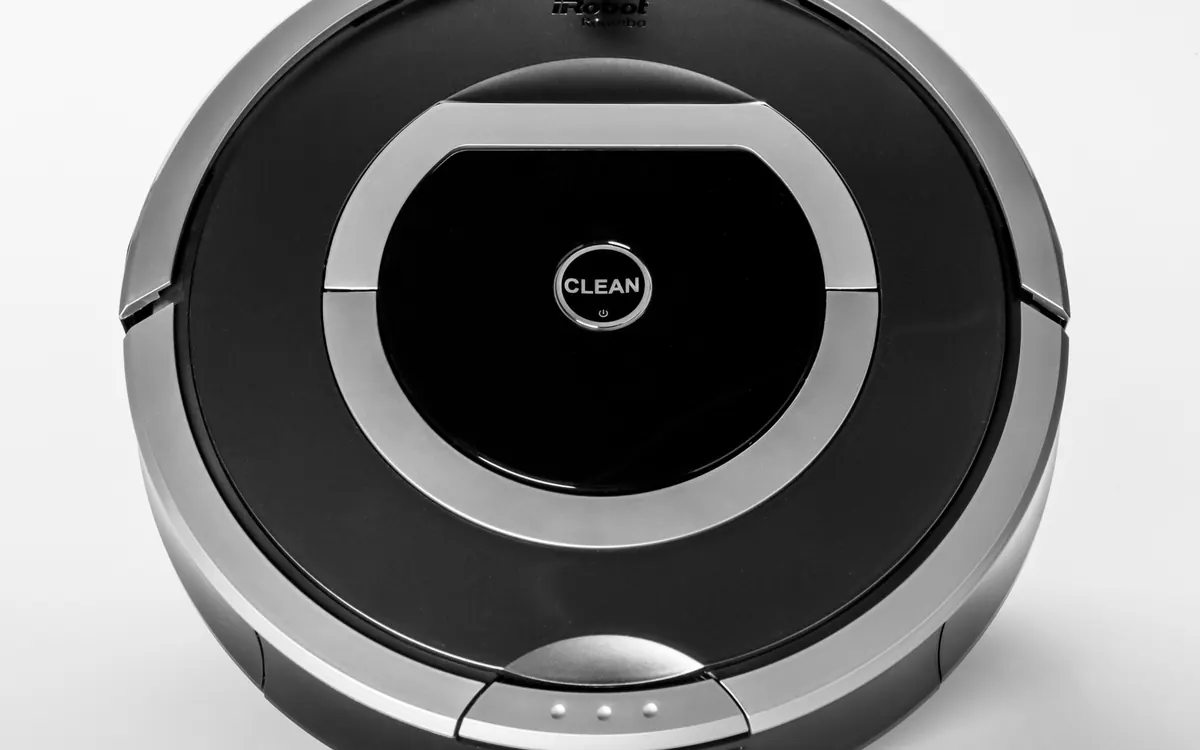
A modern robot vacuum is a connected computer on wheels. To navigate, it builds a detailed map of your home; many have front cameras; some have microphones for voice control. That data is useful for cleaning, but it is also sensitive. Here is what is collected and how to keep control of it. For buying basics, see our robot vacuum buying guide.
What a robot vacuum can collect
- Home maps and floor plans — room shapes, sizes and names, often stored in the manufacturer's cloud so the app can show them.
- Camera images — camera-based navigation and obstacle recognition process images of your floor and furniture. Some models can stream video for remote monitoring.
- Audio — models with built-in voice assistants have microphones.
- Usage and network data — cleaning history, device identifiers, Wi-Fi network names and app account details.
Why it matters
A floor plan reveals the size and layout of your home; images can capture people and private spaces. Security researchers have repeatedly found vulnerabilities in connected robots, and in a widely reported case images taken by development robots during testing leaked online. These incidents don't mean every robot is unsafe, but they show the data deserves protecting. The same applies to any camera in a private room; our baby monitor buying guide covers how to lock down a nursery camera.
Choosing a more private robot
- LiDAR without a camera maps rooms using laser distance readings rather than pictures; see LiDAR vs camera robot vacuums.
- Check whether camera images are processed on the device or uploaded, and whether you can opt out of sharing images to improve AI.
- Prefer brands with a published security programme, regular firmware updates and a clear support period.
- Look for local-control options if you use a smart home platform; our guide to smart home without internet and what is Home Assistant explain the approach.
Settings to change after setup
- Use a strong, unique password and two-factor authentication for the app account.
- Keep the robot's firmware and app updated; our guide to updating router firmware covers the network side.
- Put smart home devices on a separate guest or IoT Wi-Fi network if your router supports it.
- Pick up clothes and sensitive papers from the floor before camera-based runs, and avoid running it in bathrooms or bedrooms while occupied.
Selling or disposing of a robot
Factory-reset the robot to remove maps and Wi-Fi credentials, remove it from your app account and, if the app allows, delete stored maps and history from the cloud.
Frequently asked questions
Do robot vacuums take pictures of your home?
Camera-based models capture images to navigate and recognise obstacles. Whether images leave the device depends on the model and your settings.
Can a robot vacuum work without Wi-Fi?
Many can clean with a button press or default schedule, but maps, room selection and scheduling usually need the app and a connection.
Are LiDAR robot vacuums more private?
LiDAR maps rooms with distance readings rather than photos, so they don't capture images. They still create floor plans that may be stored in the cloud.
More from Smart Home
View all →Read next

CPU vs GPU bottleneck explained: how to tell what's slowing your games
What a CPU or GPU bottleneck really is, how to spot one with a performance overlay, why resolution changes everything, and the fixes worth trying before you buy parts.
HDMI vs DisplayPort: which cable should you use in 2026?
HDMI vs DisplayPort explained: HDMI 2.1 and 2.2 vs DisplayPort 1.4 and 2.1 bandwidth, which to use for gaming monitors, TVs, consoles and laptops, plus cables.
Smart ring vs smartwatch: which health wearable should you buy?
Smart ring or smartwatch? Compare sleep and heart-rate tracking, battery life, workouts, GPS, subscriptions, sizing and phone compatibility to pick the right wearable.