Google bans Android TV box maker over built-in malware backdoor
Google cut ties with Videostrong, a certified Android TV box maker that built a malware backdoor into its devices, and took down the XCPE botnet's control servers.
LandGadget Newsroom · · 2 min read
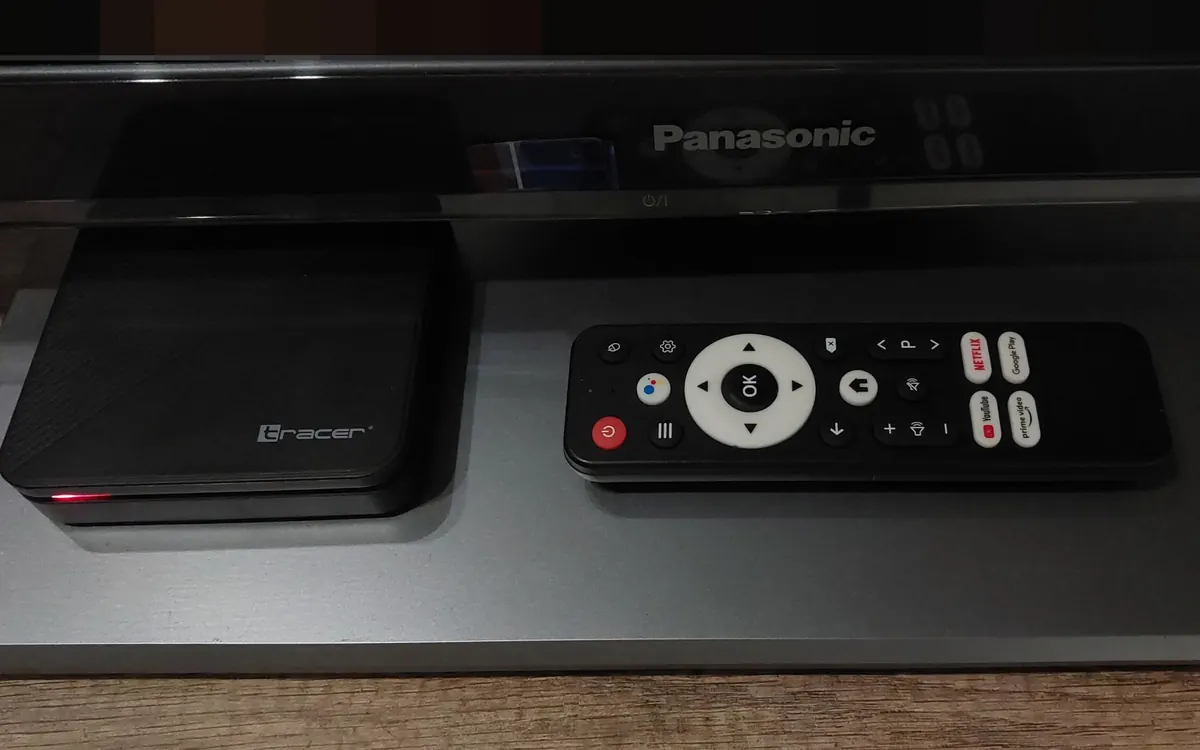
Google has cut ties with an Android TV device maker after finding that it deliberately shipped a backdoor on certified streaming boxes, 9to5Google reports.
What Google found
In a post on Monday, Google named the manufacturer as Videostrong. According to Google, the company built a hidden access point into its Android TV boxes and sold access to it, including for distributing malware. Google says it found the malicious software "built directly into many different device models and brands over multiple years", backed by dedicated infrastructure, and concluded it was not the work of a rogue insider or a development mistake.
Google says it has taken legal action to block the domains and servers Videostrong used to control the XCPE botnet and its malware modules. The company and its subsidiaries are now banned from selling certified Android devices with Google apps, and from supplying software to other certified vendors. The Verge put the botnet at about 1.3 million set-top boxes, while Google says taking down the control domains will cut off "at least 10 million additional compromised devices".
Security firm Synthient compiled a list of potentially affected devices, focused on the Mecool brand, which has made well-known Android TV and Google TV boxes.
A gap in certification
Google admits the boxes were sold as certified Android devices. It says the makers used obfuscation to "exploit a gap in our tests" and load the malicious code after the device's first boot. Google is updating its review process to catch this behaviour and called intentional infection by a manufacturer "an unacceptable breach of trust".
What owners should do
Google says shutting down the servers should make affected boxes safe to use, but if you own a Mecool or other budget box, consider whether a mainstream streaming device is worth the switch. It's also a good moment to review smart TV tracking settings, keep your router firmware updated and put streaming boxes on a separate guest or IoT network.
More from Smart Home
View all →Buying guide
Wi-Fi extender vs mesh: which fixes dead zones?
Buying guide
2.4GHz vs 5GHz Wi-Fi: which band should you use?
Read next
144Hz vs 240Hz: which refresh rate do you need?
60Hz vs 144Hz vs 240Hz explained: what refresh rate really changes, the frame rate your PC needs, which games benefit, and when 360Hz or 500Hz is worth it.
EV charging connector types explained: Type 2, CCS, NACS
Type 1, Type 2, CCS1, CCS2, CHAdeMO, NACS and GB/T: which EV plug your car uses, which chargers fit, where each is used and when an adapter is safe to use.
How many case fans do I need? PC airflow setup guide
How many case fans a gaming PC really needs, which way to point them, intake vs exhaust, positive vs negative pressure, 120 vs 140 mm and how to set fan curves.