Smart bulb buying guide: how to choose smart lights
How to choose a smart bulb: Matter vs Zigbee vs Wi-Fi vs Bluetooth, white vs colour, brightness and fittings, dimmers, wall switches and when a bridge is worth it.
LandGadget Newsroom · · 8 min read
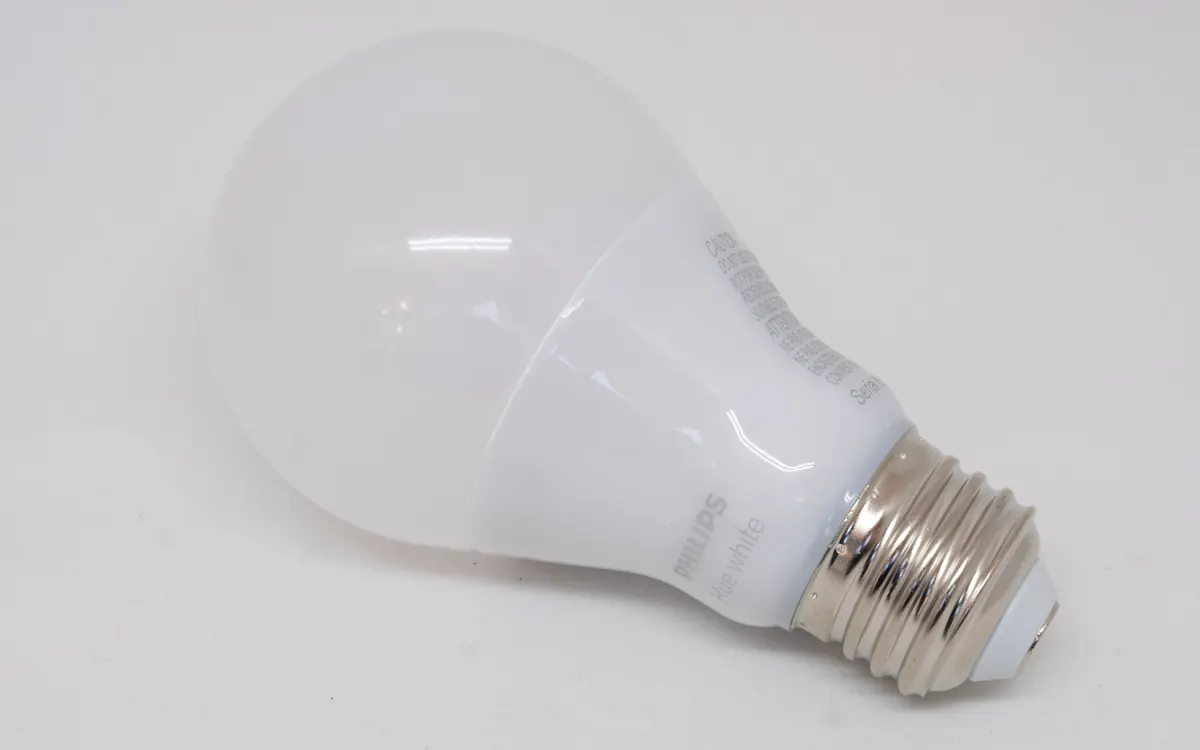
Quick verdictFor one or two rooms, buy Matter bulbs that fit your sockets; for a whole home, a Zigbee or Thread system with a bridge is more reliable. Pick tunable white unless you really want colour, and solve the wall-switch problem before you buy.
Jump to the verdict ↓On this page
Smart bulbs are usually the second smart home device people buy, right after a smart plug. They let you dim and switch lights from your phone or by voice, set schedules, shift from cool daylight to warm evening light and build scenes that change a whole room at once.
They are also easy to get wrong. A bulb that doesn't fit the lamp, fights with your dimmer or drops off Wi‑Fi every evening is worse than the cheap LED it replaced. This guide goes through the checks in the order that matters.
1. Choose the connection first
The radio inside the bulb decides which apps it works with, whether you need a hub and how reliable a large setup will be.
| Matter (Wi‑Fi or Thread) | Zigbee + bridge | Wi‑Fi (app only) | Bluetooth | |
|---|---|---|---|---|
| Hub needed | No (Thread needs a border router) | Yes, a bridge or hub | No | No |
| Works with | Apple, Google, Alexa, SmartThings | Via the bridge's integrations | Maker's app + selected assistants | Usually phone app only |
| Best for | One or two rooms, mixed households | Many bulbs, whole home | A single lamp | Close-range, simple use |
| Main drawback | Feature support varies by app | Extra device to buy | Many bulbs crowd the router | Short range, weak automations |
Matter is the safe default for new purchases. A Matter bulb is added with a QR code and can be shared between several platforms, so a household with an iPhone and an Android phone isn't forced into one ecosystem. Read what Matter is if the standard is new to you.
Matter bulbs come in two flavours. Matter over Wi‑Fi bulbs connect straight to your router. Matter over Thread bulbs use a low-power mesh network and need a Thread border router, which many recent smart speakers, displays and streaming boxes already include. Our Matter vs Thread vs Zigbee comparison explains the difference in detail.
Zigbee with a bridge (Philips Hue, IKEA and others) is still the most proven option for homes with dozens of lights. The bridge handles the bulbs locally and can expose them to Matter, so you get both reliability and cross-platform control. Our Philips Hue Matter setup guide shows how that works in practice.
Plain Wi‑Fi bulbs that only work with the maker's app are fine for one lamp, but each one is another client on your router. With 20 of them, weaker routers can struggle and bulbs may become unresponsive.
2. Match the fitting and the size
Check the old bulb before you shop:
- Base: E27 (standard screw in most of Europe), E14 (small screw), B22 (bayonet, common in the UK), GU10 (spotlights) and E26 in North America. Not every smart bulb range covers every base.
- Shape: A60 (classic pear), candle, globe, PAR spots and filament styles. A bulb that sticks out of a lampshade looks wrong and may run hot in enclosed fittings.
- Enclosed fixtures: some makers say their bulbs shouldn't be used in fully enclosed fittings. Read the box.
3. Brightness, colour temperature and colour
Ignore "watt equivalent" claims and look at lumens. Around 800 lumens is roughly what a classic 60 W incandescent bulb gave; around 1,500 lumens matches a 100 W bulb. For a main ceiling light in a larger room you may want more than one bulb or a brighter model.
Colour temperature is measured in kelvin (K). Low values (about 2,200–2,700 K) look warm and cosy; higher values (5,000–6,500 K) look cool and bright. Bulbs come in three tiers:
- Dimmable white: one fixed temperature, cheapest.
- Tunable white (white ambiance): adjustable from warm to cool. This is the sweet spot for most rooms, since you can use cooler light in the day and warmer light at night.
- Colour (RGB + white): millions of colours for accent lighting, gaming setups or parties. Worth it in a few places, not necessarily everywhere.
If accurate colours matter (kitchens, make-up, art), look for a published CRI (colour rendering index); 90 or above is a good sign. Many budget bulbs don't list it.
4. Solve the wall-switch problem
This is the most common disappointment. A smart bulb needs constant power to stay connected. If someone flips the wall switch off, the bulb disappears from the app and your schedules stop working.
Options, from simplest to most involved:
- Leave the switch on and use voice, the app or a wireless smart button or remote stuck next to the switch.
- Switch covers that stop the toggle from being turned off.
- Smart switches instead of smart bulbs, if a room has many ceiling lights on one circuit. Some need a neutral wire; check before buying, and use an electrician if you're unsure.
Also check what the bulb does after a power cut. Many let you choose in the app whether they come back on, stay off or return to the last state.
5. Watch out for dimmers
Smart bulbs do their own dimming. Putting one behind a traditional wall dimmer usually causes flicker, buzzing or failure. If a lamp is on a dimmer, set the dimmer to full and leave it, or replace it with a smart switch or a normal switch.
6. Do you need a bridge or hub?
For a handful of bulbs, no: Matter over Wi‑Fi, or Thread with a speaker you already own, is enough. Once you go past roughly a dozen lights, or want instant response and automations that keep running when the internet is down, a bridge or hub starts to make sense. Our guide on whether you need a smart home hub goes through the trade-offs, and running a smart home without internet explains which setups keep working offline.
+ Pros
- Dimming, schedules and scenes without rewiring
- Tunable white improves evening lighting
- Matter bulbs work across Apple, Google, Alexa and SmartThings
− Cons
- Wall switches cut power and break automations
- Not compatible with most traditional dimmers
- Large Wi‑Fi-only setups can overload a basic router
7. Privacy and updates
Every connected bulb is a small computer on your network. Prefer brands that publish a privacy policy, deliver firmware updates and allow local control. Avoid cheap no-name bulbs that only work through an unknown cloud app: if the service shuts down, the "smart" part may stop working.
Quick buying checklist
- Right base and shape for the fitting
- Enough lumens for the room
- Tunable white, or colour where you really want it
- Matter, or a bridge-based system if you'll go big
- A plan for wall switches and dimmers
- Firmware updates and local control
Our verdict
Matter bulbs for a room or two, a bridge system for the whole home
Start with one room. Buy tunable white Matter bulbs that fit your sockets, add a wireless button by the wall switch and live with it for a week. If you then want lights in every room, a Zigbee or Thread system with a bridge is the more reliable way to scale. Our list of the best Matter devices to start with suggests what to add next.
Frequently asked questions
Do smart bulbs work without Wi-Fi?
Zigbee and Thread bulbs talk to a bridge or border router, not to your Wi-Fi, and local automations can keep running without internet. Wi-Fi bulbs need the router, and many cloud-only bulbs lose app and voice control when the internet is down.
Can I use a smart bulb with a normal light switch?
Yes, but the switch must stay on. Turning it off cuts power, so the bulb can't be controlled remotely until it is switched back on. A wireless smart button next to the switch is the usual fix.
Do smart bulbs use power when they are off?
Yes, a small amount in standby so they can stay connected and respond to commands. The exact figure is on the product's energy label or data sheet.
Can I put a smart bulb on a dimmer switch?
Generally no. Most smart bulbs are not designed to work behind traditional dimmers and may flicker or fail. Leave the dimmer at full or replace it.
Do I need a hub for Matter bulbs?
Matter over Wi-Fi bulbs need no hub. Matter over Thread bulbs need a Thread border router, which is built into many recent smart speakers, displays and streaming boxes.
More from Smart Home
View all →Read next
Best Monitor Size for Gaming: 24 vs 27 vs 32 Inch
What monitor size is best for gaming? Compare 24, 27, 32-inch and ultrawide screens by resolution, pixel density, desk distance, GPU power and the games you play.

Bluetooth Codecs Explained: SBC vs AAC vs aptX vs LDAC vs LC3
What Bluetooth audio codecs actually change: SBC, AAC, aptX, LDAC and LE Audio's LC3 compared — sound, latency, battery and which phones support which codec.

Electric motorcycle buying guide: range, charging, licence
How to choose an electric motorcycle: real-world range, battery size, home and fast charging, licence classes, running costs and what to check before you buy.