DLSS vs FSR vs XeSS: which upscaler should you use?
DLSS vs FSR vs XeSS explained: how each upscaler works, which GPUs support it, frame generation and lag, and which setting to pick on Nvidia, AMD or Intel.
LandGadget Newsroom · · 8 min read
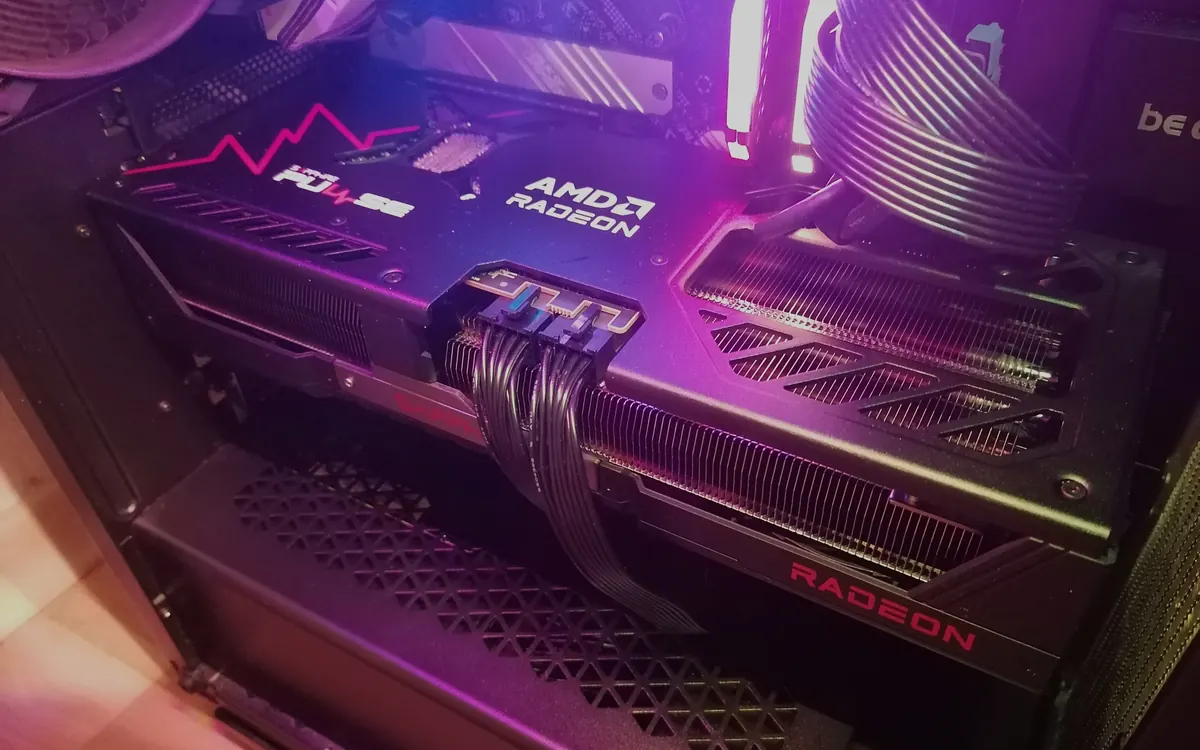
Quick verdictUse the upscaler made for your GPU: DLSS on Nvidia RTX, FSR Upscaling 4.1 on Radeon RX 6000 or newer, XeSS on Intel Arc. Use frame generation only when the base frame rate is already smooth.
Jump to the verdict ↓On this page
Open the graphics menu of almost any new PC game and you'll find DLSS, FSR and XeSS, often all three. They promise free frames, but they work differently, run on different hardware and have confusing version numbers. This guide explains what each one does, which graphics cards support what in late 2026, and which setting to choose.
What upscaling actually does
Upscalers render each frame at a lower internal resolution and then reconstruct a full-resolution image. They use data from previous frames and motion information from the game engine, and modern versions also use a trained AI model. Fewer pixels to render means more frames per second.
The presets are similar everywhere. Quality renders at roughly two-thirds of your output resolution on each axis. Balanced goes a bit lower, Performance renders at half (1080p for a 4K screen), and Ultra Performance at about a third. The higher your output resolution, the better upscaling looks: at 4K, Performance mode can look very close to native, while at 1080p even Quality mode starts with few pixels to work with.
Typical side effects are shimmering on fine detail like fences and foliage, ghosting trails behind moving objects and slight softness. Each new generation has reduced these problems, and that's where the three brands differ most.
Frame generation is a different tool
Frame generation doesn't upscale. It creates extra frames between the ones your GPU renders, so motion on a high-refresh screen looks smoother. Multi frame generation creates several extra frames for each rendered one.
The catch: generated frames don't respond to your input. The game still feels like its base frame rate, and holding frames back to generate in-between images adds latency. That's why each vendor pairs it with a latency reducer: Nvidia Reflex, AMD Anti-Lag or Intel XeLL. Use frame generation to turn a solid 60 fps into a smooth 120+ on a fast monitor, not to rescue 30 fps. Our gaming monitor guide explains why refresh rate matters here, and FreeSync vs G-Sync covers the variable refresh that keeps it tear-free.
Nvidia DLSS
DLSS is a family of AI features that runs on the Tensor cores of GeForce RTX cards only, from the RTX 20 series on.
- Super Resolution (the upscaler) uses Nvidia's second-generation transformer model in DLSS 4.5 and works on every RTX card. Nvidia notes that RTX 20 and 30 cards lack the FP8 support the new model is tuned for, so the older DLSS 4 model can run faster on them.
- Frame Generation needs an RTX 40 or newer card. Multi Frame Generation, up to 6x with the new Dynamic mode that adjusts the multiplier on the fly, is limited to the RTX 50 series.
- Ray Reconstruction replaces denoisers in ray-traced games, and DLSS 5 adds neural rendering on RTX 50 in a growing list of games. See our story on DLSS 4.5 in new games.
DLSS has the widest game support and is generally rated the best for image quality. The Nvidia app can also override older DLSS versions in many games with the latest model.
AMD FSR
FSR has two lives. FSR 1 to 3.1 are hand-tuned (non-AI) algorithms that run on almost any GPU, including Nvidia and Intel cards and many handhelds. They're a useful fallback but show more shimmering.
FSR 4, now renamed FSR Upscaling and at version 4.1, is AMD's machine-learning upscaler and a big step up in quality. It launched only on the Radeon RX 9000 series in 2025. AMD brought it to the RX 7000 series in July 2026 and to the RX 6000 series, Ryzen AI Max and Ryzen AI 9 laptops and Ryzen Z2 handhelds with the Adrenalin 26.10.1 driver, with Xbox Series X|S support promised. AMD says more than 400 games support it, partly because the driver can upgrade games that ship with FSR 3.1.
The rest of AMD's "Redstone" suite, including ML Frame Generation, Ray Regeneration and Radiance Caching, still requires an RX 9000 card. Older FSR 3 frame generation works on more hardware.
Intel XeSS
XeSS runs best on Intel Arc graphics, where it uses the GPU's dedicated XMX AI units. It also has a DP4a mode that runs on many Nvidia and AMD cards, usually with a lower quality and speed boost. XeSS 2 added frame generation and the XeLL latency reducer. XeSS 3 brought multi-frame generation of up to 4x to Arc A-series and B-series cards and recent Core Ultra laptops with Arc integrated graphics. Game support is narrower than for DLSS or FSR, but it is growing.
DLSS vs FSR vs XeSS at a glance
| DLSS | FSR | XeSS | |
|---|---|---|---|
| Runs on | Nvidia RTX only | Any GPU (FSR 3.1); ML version on Radeon RX 6000+ | Best on Intel Arc; DP4a mode on other GPUs |
| AI upscaling | Yes, all RTX cards | FSR Upscaling 4.1 on RX 6000/7000/9000 | Yes (XMX on Arc) |
| Frame generation | RTX 40+; multi up to 6x on RTX 50 | ML version on RX 9000; FSR 3 on more GPUs | Up to 4x on Arc (XeSS 3) |
| Latency tool | Reflex | Anti-Lag | XeLL |
| Game support | Widest | Wide | Narrower |
Which setting should you pick?
- Use your GPU's own upscaler first. On an RTX card choose DLSS. On a Radeon RX 6000 or newer choose FSR, which uses the ML version where the game and driver allow it. On Arc choose XeSS.
- No native option? Try XeSS on older AMD cards or GTX-era Nvidia cards, and compare it with FSR 3.1. Pick whichever looks cleaner in motion in your game.
- Start with Quality at 1440p and Performance at 4K. Lower the preset only until you hit your target frame rate.
- Add frame generation last, once you're near 60 fps, and keep the latency reducer on. Skip it in competitive shooters.
- Don't buy a card for frame-generation numbers alone. Raw performance and VRAM still matter. Our graphics card buying guide explains how to compare, and the used GPU guide helps if you're shopping second-hand.
On consoles you don't choose: the PS5 Pro uses Sony's own PSSR upscaler, and developers decide per game.
+ Pros
- Large frame-rate gains with little visible loss at 1440p and 4K
- AI upscalers now beat older anti-aliasing in many games
- AMD's ML upscaler has reached older Radeon cards
− Cons
- Best versions are tied to specific GPU brands and generations
- Frame generation adds latency and can't fix a low base frame rate
- Quality varies by game and version; ghosting still happens
Our verdict
Match the upscaler to your GPU, then tune presets
DLSS is still the most polished and widely supported option, but it needs an Nvidia RTX card. FSR Upscaling 4.1 has closed much of the gap and now runs on Radeon RX 6000 cards and newer, while classic FSR remains the universal fallback. XeSS is the right choice on Intel Arc and a decent alternative on older hardware. Whatever you use, treat frame generation as a way to add smoothness, not responsiveness.
Frequently asked questions
Is DLSS better than FSR?
DLSS is generally rated the best for image quality and is supported in the most games, but it only runs on Nvidia RTX cards. AMD's ML-based FSR Upscaling 4.1 has narrowed the gap considerably on Radeon RX 6000 and newer.
Can I use DLSS on an AMD graphics card?
No. DLSS needs the Tensor cores in Nvidia RTX GPUs. On AMD cards use FSR, or try XeSS, which has a mode that runs on other brands' hardware.
Does upscaling increase input lag?
Upscaling usually lowers input lag because the game runs at a higher frame rate. Frame generation is different: it adds some latency, which is why it is paired with Reflex, Anti-Lag or XeLL.
Should I use Quality or Performance mode?
At 1440p start with Quality. At 4K, Performance mode often looks close to native because the internal resolution is still 1080p. At 1080p, stay on Quality or play at native resolution if your GPU can manage.
Does FSR 4 work on Radeon RX 6000 cards?
Yes. AMD's ML upscaler, now called FSR Upscaling 4.1, came to the RX 6000 series with the Adrenalin 26.10.1 driver. Frame generation and the other Redstone features remain exclusive to RX 9000.
More from Gaming
View all →Read next
Robot vacuums for carpets vs hard floors: what to look for
Carpet, rugs or hard floors? Which robot vacuum features matter for each: brushes, carpet boost, threshold height, mop lifting, edge cleaning and setup per room.
ESA's Hera sees Didymos and Dimorphos apart for the first time
ESA's Hera probe has resolved the Didymos–Dimorphos pair from 1,280 km away. First detailed Dimorphos images since DART's 2022 impact are due 25 November.
Samsung Community goes offline for 72 hours: back up first
Samsung Community shuts for 72 hours from October 30 for an overhaul. DMs, drafts, bookmarks and subscriptions won't migrate. What to save and what changes after.