Does a smart home work without internet? Local control
What keeps working when your internet goes down: cloud vs local control, how Matter, Zigbee and Thread help, and how to build one that survives outages.
LandGadget Newsroom · · 6 min read
Quick verdictPick devices that support local control (Matter, Zigbee or Thread through a local hub), keep automations on a hub in your home, and treat the cloud as a bonus for remote access, not a requirement.
Jump to the verdict ↓On this page
Your internet goes down, you tap the light switch in the app, and nothing happens. Or it does. Whether a smart home keeps working offline depends far less on the brand of bulb than on where the decisions are made: on a company's server, or on a device inside your home.
This guide explains the difference between cloud and local control, what typically keeps working during an outage, and how to choose devices so a broken connection doesn't leave you in the dark.
Cloud control vs local control
With cloud control, your phone or speaker sends a command to the manufacturer's server over the internet, and the server sends it back down to the device. It's simple for companies to build and makes remote access easy. The catch: if your internet connection, the company's servers or the company itself goes away, the device can stop responding to the app.
With local control, the command goes from your phone, a wall switch or an automation straight to a hub or the device over your home network. The internet is only needed for extras like remote access. Local control is also usually faster, because the signal doesn't make a round trip to a data centre.
| Cloud-dependent | Local control | |
|---|---|---|
| App control at home during an outage | Usually no | Usually yes |
| Automations and schedules | Stop if they run in the cloud | Keep running on the hub |
| Response speed | Depends on the connection | Typically near-instant |
| Remote access away from home | Yes | Needs internet too |
| If the company shuts the service down | Device may stop working | Keeps working with a compatible hub |
What usually works without internet
Exact behaviour varies by product, but here's what you can generally expect when the internet drops but the power stays on:
- Physical controls. Smart bulbs still respond to wall switches and smart buttons that are paired directly or through a local hub. A smart plug's button still toggles it.
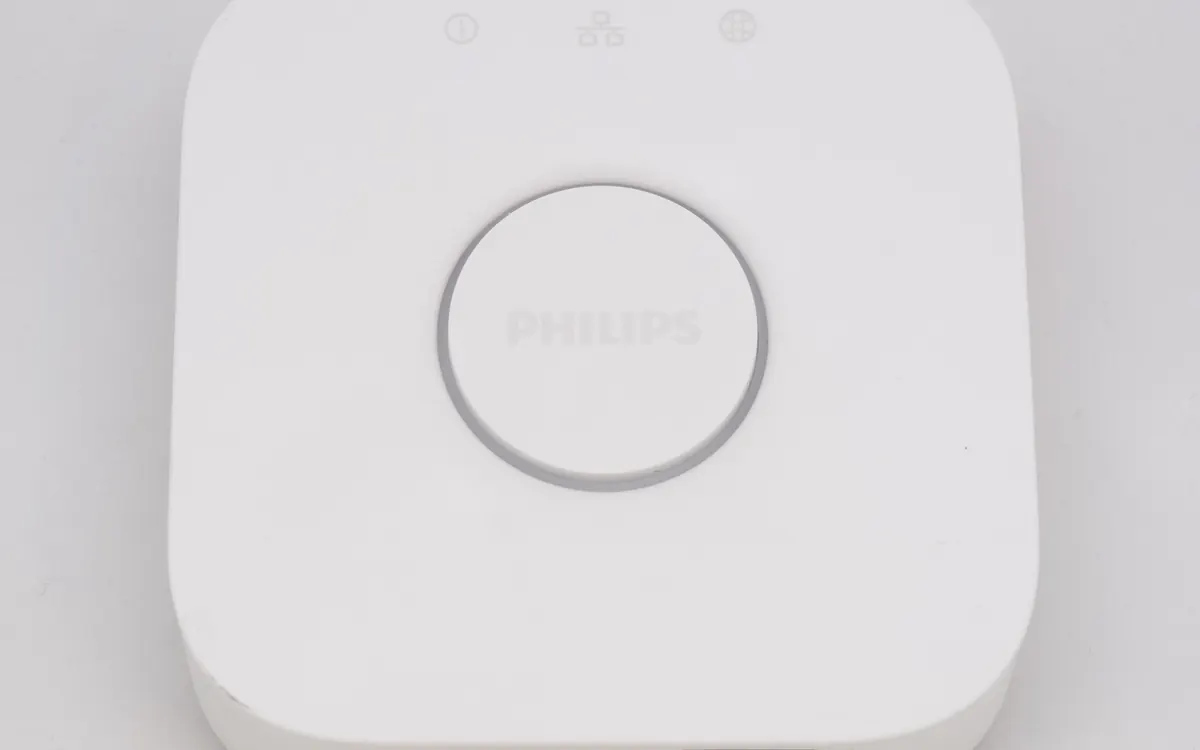
- Zigbee, Z-Wave and Thread devices keep talking to their hub, because these radio networks work inside your home. A Philips Hue Bridge, for example, controls its lights over your local network, so the Hue app usually still works when your phone is on the same Wi-Fi.
- Matter devices are controlled over your local network by a Matter controller, which is why Google has been moving Hue lights to local Matter control in Google Home. Read our Matter and Thread explainer if the terms are new.
- Automations on a local hub such as Home Assistant or many dedicated hubs: motion lights, schedules and sensor triggers keep running.
- Smart locks usually still open with a keypad, key, fingerprint or Bluetooth. Our smart lock guide explains what to look for.
- Thermostats keep following their schedule and can be adjusted on the device itself.
What usually stops
- Remote access. Controlling anything from outside the house needs internet, local system or not.
- Most voice assistants. Popular assistants process many requests in the cloud, so voice commands are often unavailable or limited offline.
- Cloud-only Wi-Fi gadgets. Cheap plugs, bulbs and cameras that only work through a vendor app often can't be controlled at all.
- Cloud camera recording and alerts. Cameras that upload clips to a subscription service can't do it offline. Models with a microSD card or a local recorder can keep recording; see our home security camera guide.
- Firmware updates and integrations with other companies' services.
How to build a smart home that keeps working offline
- Check for local control before you buy. Look for Matter support, or Zigbee, Z-Wave or Thread devices that work with a hub you own. Be wary of devices that only work through a vendor's cloud app.
- Run automations on a local hub. A smart speaker hub, a dedicated bridge or a Home Assistant box can run routines in your home rather than in the cloud. Check that your platform actually executes them locally.
- Keep physical controls. Smart switches or wireless buttons mean guests and family can always turn lights on, app or no app.
- Make your home network solid. Local control depends on Wi-Fi and the hub. A good router or mesh Wi-Fi system and a fixed spot for the hub reduce dropouts.
- Back up power for the core. A UPS for the router, modem and hub is cheap insurance.
- Test it. Unplug the internet cable from your router for ten minutes and see what still works. It's the quickest way to find the cloud-dependent devices.
Is local always better?
Not for everything. Cloud services are convenient for remote access, sharing with family, voice control and storing camera footage off-site, which helps if a camera is stolen. The best setup for most homes is local first, cloud as a bonus: the basics run inside your house, and online features add convenience on top.
Frequently asked questions
Do smart lights work without Wi-Fi?
It depends on how they connect. Zigbee or Thread bulbs paired to a hub keep responding to that hub and to paired switches. Wi-Fi bulbs need your Wi-Fi network, and cloud-only models may also need the internet for app control.
Does Matter work without internet?
Matter was designed to work over your local network, so a Matter device can be controlled by a Matter controller in your home without the internet. Remote access and some voice features still need a connection.
Will my smart home work if the power goes out?
No. Hubs, routers and mains-powered devices stop when the power does. Battery devices like locks and sensors may keep working, but a UPS for the router and hub is the only way to keep the system running.
Does Home Assistant need the internet?
No. Home Assistant runs on a computer in your home and controls many devices locally. You only need the internet for remote access, updates and cloud-based integrations.
More from Smart Home
View all →Buying guide
Aqara Outdoor Plug H2 EU: Thread or Zigbee mode?
Read next

NASA's new Artemis plan: Earth-orbit test, landing in 2028
Artemis III becomes a 2027 Earth-orbit test with both commercial landers, and the first crewed landing moves to 2028 with whichever lander is ready first.
RTX Remix 1.6 adds DLSS 5, Minecraft beta and Windows on Arm
NVIDIA's RTX Remix 1.6 brings DLSS 5 neural rendering, up to 6x Multi Frame Generation, a Minecraft Java beta mod and Arm support for Portal RTX and more.
Steam Personal Calendar leaves Labs: release dates for you
Steam's Personal Calendar is now a full feature: an 8-week list of upcoming releases picked from your playtime, with wishlist, DLC and Early Access filters.