Mac Studio with 512GB RAM goes on sale for $22,299
Apple now sells the M5 Ultra Mac Studio with 512GB of unified memory, a $15,500 upgrade that lifts the price to $22,299. What you get and who it is for.
LandGadget Newsroom · · 3 min read
On this page
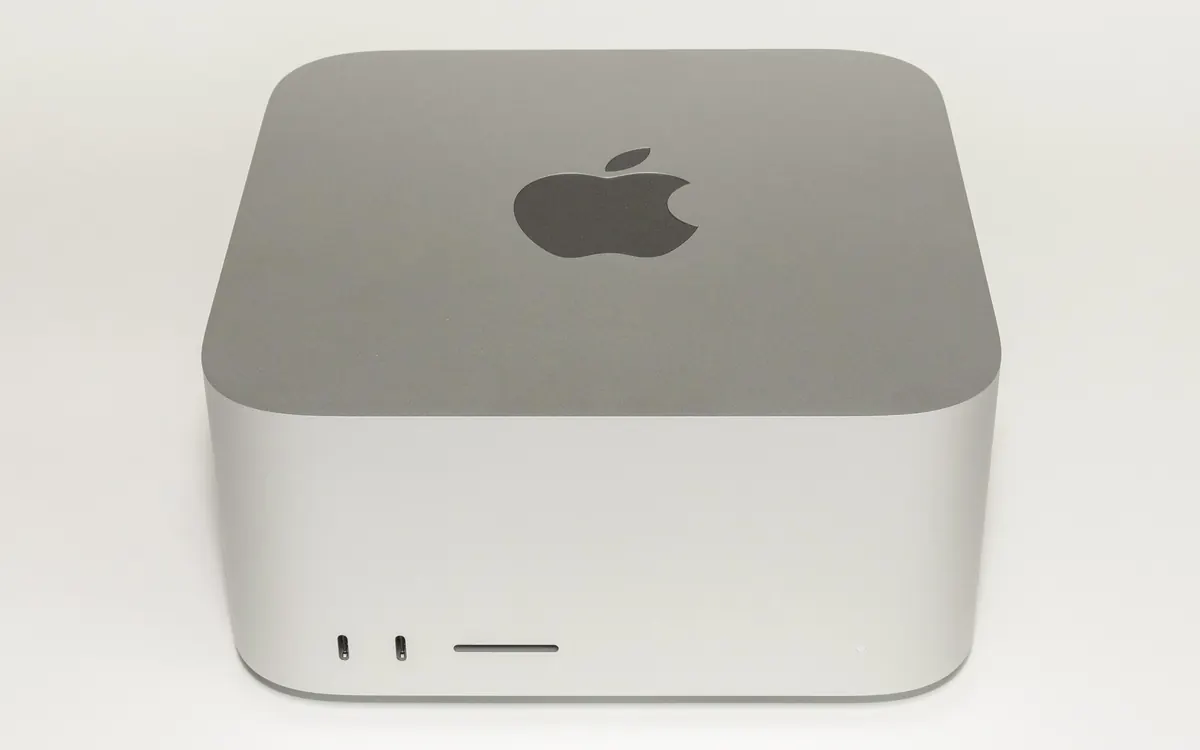
Apple has switched on the most expensive option in its desktop line-up. The Mac Studio with M5 Ultra can now be configured with 512GB of unified memory on Apple's online store, the option Apple said would arrive in late October when it launched the M5 Max and M5 Ultra models in August.
What it costs
The 512GB option is tied to a single chip: the M5 Ultra with a 36-core CPU, 80-core GPU and 32-core Neural Engine. According to MacRumors and 9to5Mac, that configuration starts at $6,799 with 96GB of memory, and the jump to 512GB adds $15,500. That puts the cheapest 512GB Mac Studio at $22,299 with a 1TB SSD. Max out storage at 16TB and the price reaches $29,799.
Macworld points out an odd quirk: the same machine with 256GB costs $10,799, so two 256GB Mac Studios together cost about $700 less than one 512GB unit, though of course that is two separate computers.
According to 9to5Mac, 512GB orders are quoted for delivery in late November to early December.
The specs that matter
| Mac Studio M5 Max | Mac Studio M5 Ultra | |
|---|---|---|
| Base memory | 36GB | 96GB |
| Maximum memory | 128GB | 512GB (36-core CPU / 80-core GPU chip only) |
| Memory bandwidth | Lower than Ultra | 1.2TB/s (Apple) |
| Maximum storage | 8TB | 16TB |
On Apple silicon the CPU, GPU and Neural Engine share one pool of unified memory. That is the real reason this option exists. For local AI, the size of the model you can load is limited by memory, not just compute, and 512GB is far more than any consumer graphics card offers. Our explainer on how much VRAM you need for local AI explains why memory is the bottleneck, and why model size and quantisation decide what fits.
Who is it for?
Almost nobody needs this. For video editing, music, coding and even most local AI experiments, the 96GB or 256GB configurations offer far better value. The 512GB option is aimed at developers and researchers who want to run very large open-weight AI models on one quiet desktop instead of a multi-GPU server. Meta, for example, recently said its 816B-parameter Muse Spark Open model runs on two Mac Studios.
If you are buying a Mac for everyday work, see our guide on how much RAM you actually need. Unified memory cannot be upgraded later, so buy what you will need for the next few years, but not much more.
More from Computers & AI
View all →Read next
How to choose a baby monitor: Wi‑Fi vs non‑Wi‑Fi, security
Audio, local video or Wi‑Fi app monitor? How to choose a baby monitor by range, night vision, battery, privacy and security, plus the setup steps that matter.
HDMI vs DisplayPort: which cable should you use in 2026?
HDMI vs DisplayPort explained: HDMI 2.1 and 2.2 vs DisplayPort 1.4 and 2.1 bandwidth, which to use for gaming monitors, TVs, consoles and laptops, plus cables.

Smart ring vs smartwatch: which health wearable should you buy?
Smart ring or smartwatch? Compare sleep and heart-rate tracking, battery life, workouts, GPS, subscriptions, sizing and phone compatibility to pick the right wearable.