How to choose a mesh Wi‑Fi system in 2026
Mesh, single router or extender? How many nodes you need, why backhaul matters, Wi‑Fi 6 vs 6E vs 7, and the features worth paying for in a mesh Wi‑Fi system.
LandGadget Newsroom · · 6 min read
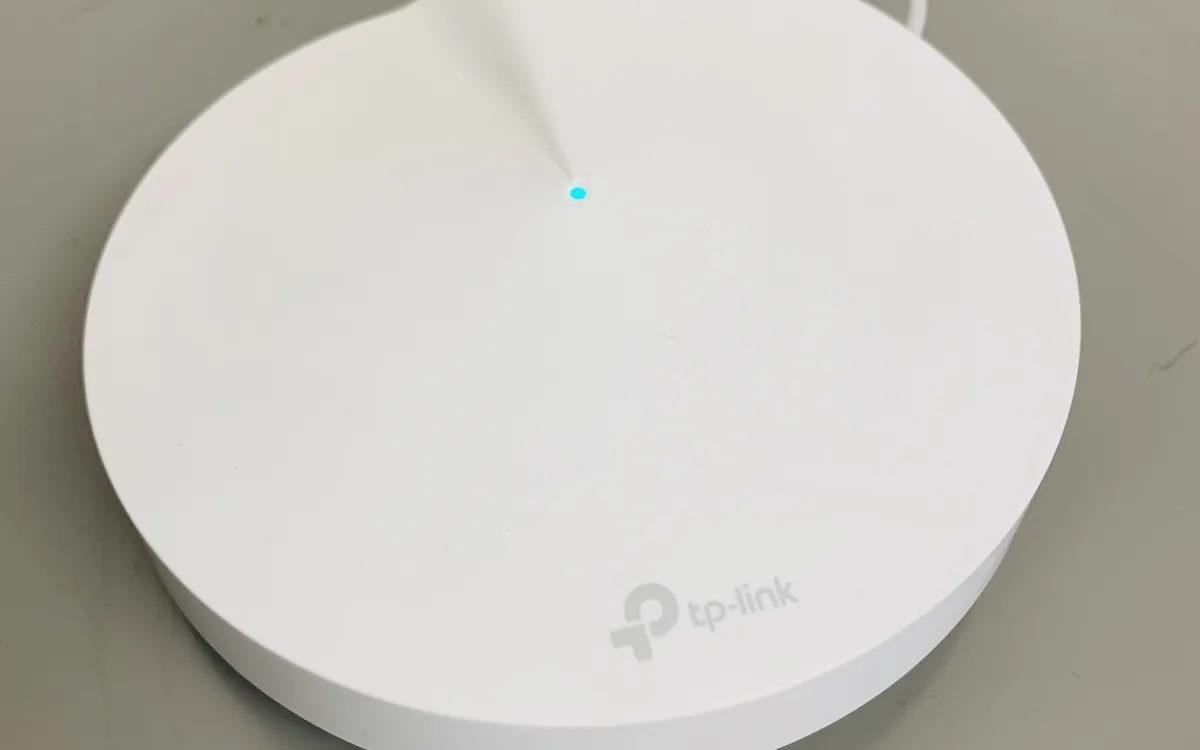
Quick verdictBuy mesh for coverage, not speed: match the node count to your walls and floors, use wired backhaul if you can, and pick the Wi‑Fi standard your devices actually support.
Jump to the verdict ↓On this page
If one room in your home always has weak Wi‑Fi, a faster router often won't help. The problem is usually distance and walls, not speed. A mesh system tackles that by spreading several access points, called nodes, around your home. They work together as one network with one name and password. Here's how to tell whether you need one and how to pick the right kit.
Do you actually need mesh?
Start by testing what you have. Run a speed test next to the router, then in the rooms where Wi‑Fi feels slow. If speeds are fine near the router but collapse two rooms away, you have a coverage problem, and that is what mesh fixes. If speeds are slow even next to the router, the bottleneck is probably your internet plan or the router itself, and more nodes won't help.
Before you buy anything, try the free fixes:
- Move the router out of cupboards, away from the floor and from behind the TV. A central, raised, open spot makes a real difference.
- Restart it and install firmware updates.
- In a small flat, a single good router is usually enough.
Mesh makes the most sense in larger flats, homes with thick concrete or brick walls, and houses with more than one floor.
Mesh vs a single router vs an extender
| Single router | Range extender | Mesh system | |
|---|---|---|---|
| Best for | Small flats | One weak room | Large or multi-floor homes |
| Network name | One | Often a second one | One, with seamless roaming |
| Speed far from router | Drops with distance | Often much lower | Better, especially with good backhaul |
| Setup | Simple | Simple but fiddly to place | App-guided |
| Cost | Lowest | Low | Highest |
A basic range extender repeats the router's signal. It's cheap, but it often creates a separate network name, and because it uses the same radio to talk to the router and to your devices, the speed it can pass on is often much lower. A mesh system uses nodes designed to work together. Your phone hands over between them as you walk around, and the system manages channels for you.
Backhaul: the spec that matters most
Backhaul is the link between the nodes, and it decides how much speed reaches the far end of your home.
- Wired (Ethernet) backhaul is the best option. If you can run a cable, or already have Ethernet sockets in several rooms, nodes connected this way deliver close to full speed. Check that the system supports it. Most do, but some cheap kits don't.
- Dedicated wireless backhaul (usually called tri-band) reserves one radio band just for node-to-node traffic. That leaves the other bands free for your devices.
- Shared wireless backhaul (dual-band systems) uses the same bands for nodes and devices. It's fine for browsing and streaming in a medium-sized home but loses more speed with every hop.
- Powerline adapters, which send data over the mains wiring, can link a node in a hard-to-reach room. Results vary a lot with the age and layout of your electrical wiring.
How many nodes do you need?
Manufacturers quote coverage in square metres, but walls matter more than floor area. As a rough rule:
- Two nodes for a larger flat or a small two-storey house.
- Three nodes for bigger homes, long layouts or thick masonry walls.
- One node per floor is a sensible start in multi-storey houses.
Place each node about halfway between the router and the dead zone, not inside it. A node needs a strong signal from the previous one to pass on. Most apps show a connection quality indicator, so use it. Starting with a two-pack and adding a node later is usually cheaper than overbuying.
Wi‑Fi 6, 6E or 7?
- Wi‑Fi 6 is the sensible baseline for most homes and covers nearly every device sold in recent years.
- Wi‑Fi 6E adds the 6 GHz band, which is less crowded but travels less far through walls. In mesh systems it is most useful as clean backhaul between nodes.
- Wi‑Fi 7 adds Multi-Link Operation and wider channels. It's worth it if you have a plan faster than about 1 Gbps or several Wi‑Fi 7 devices. Our Wi‑Fi 7 explainer goes into detail.
Remember that Wi‑Fi can't be faster than your internet connection. Also check that each node has Ethernet ports if you plan to plug in a TV, console or desktop PC.
Features worth paying for, and ones to check
+ Pros
- Ethernet backhaul support and at least one spare port per node
- Regular firmware and security updates from the manufacturer
- Guest network, device list and basic parental controls in the app
- Built-in smart home radios (some models act as a Thread border router or Zigbee hub)
− Cons
- Security or parental control features locked behind a monthly subscription
- Apps that require a cloud account for basic settings
- Mixing brands: nodes usually have to come from the same maker or family
- Very cheap kits without wired backhaul or with slow ports
If you are building a smart home, a stable network matters even more. Wi‑Fi cameras, doorbells and thermostats are only as reliable as the signal where they are installed. See our explainer on Matter and Thread and our video doorbell buying guide for more on this.
Setting it up with your provider's router
Many people already have a modem-router from their internet provider. You have two clean options:
- Put the provider's box in bridge or modem mode (if it allows it), and let the mesh system act as the router.
- Run the mesh system in access point mode, and let the provider's router keep handling the network.
Running two routers on top of each other, known as double NAT, can cause problems with online gaming, video calls and some smart home devices. Also turn off the provider router's own Wi‑Fi, or give it a different channel, to avoid interference.
Our verdict
Coverage first, then backhaul, then Wi‑Fi standard
Test before you buy: if speed is good near the router and poor elsewhere, mesh is the right fix. Choose the number of nodes based on walls and floors, not the box's square-metre claim, and use wired backhaul wherever you can. Wi‑Fi 6 is enough for most homes. Pay for Wi‑Fi 6E or 7 only when your internet plan and devices can use it, and check for subscription fees before you buy.
More from Computers & AI
View all →Read next
OnePlus Ace 7's fan blows two ways to keep your hands cool
OnePlus says the Ace 7 series' built-in fan splits its airflow between the chip and the back panel and keeps hot air off your fingers. Why that detail matters.

Switch Sports Resort lands Oct 22: what's in all 12 sports
The Switch 2 exclusive Switch Sports Resort arrives on 22 October with 12 motion-control sports on Wuhu Island, including Skateboarding and Thumb Wrestling.

ALMA's 'cosmic hamburger' shows how giant planets may form
ALMA slices the edge-on disk known as Gomez's Hamburger into layers of gas and dust and spots a clump that may be a giant planet in the making. What it shows.