How to choose a home security camera in 2026
Indoor or outdoor, wired, PoE or battery, cloud plan or local storage, smart alerts, Matter and privacy: what to check before you buy a home security camera.
LandGadget Newsroom · · 7 min read
Quick verdictDecide where the camera goes and how it gets power first, then how you'll store video and what it costs per month. Resolution comes last.
Jump to the verdict ↓On this page
A home security camera lets you check on pets, see who is in the garden and keep a record if something goes wrong. Spec sheets compete on megapixels, but the choices that shape daily life with a camera are where it goes, how it's powered, where the video is stored and which app controls it. Here's how to narrow it down.
Start with the location
Indoor and outdoor cameras are built for different jobs, so decide this first.
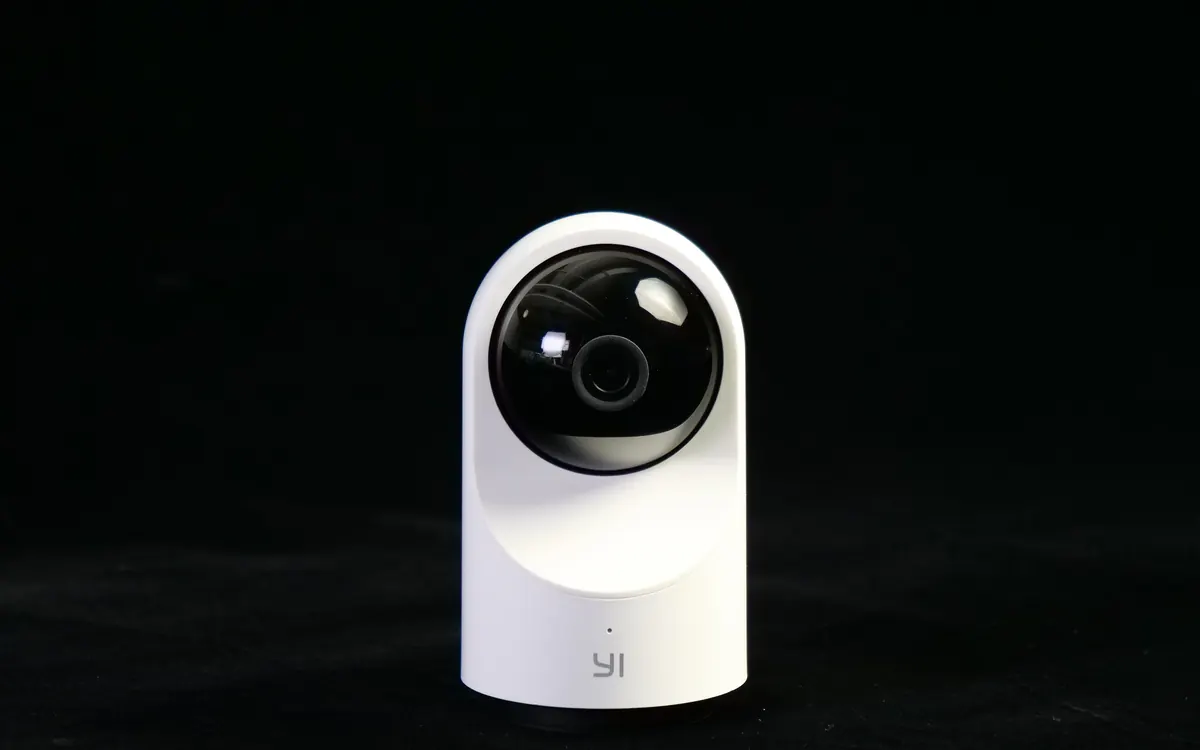
- Indoor cameras are small and cheap, plug into a USB charger and often have a motorised pan-and-tilt head that can sweep a whole room. They're good for pets, kids' rooms and the hallway.
- Outdoor cameras need a weatherproof rating (look for IP65 or higher), a wider temperature range and usually a stronger night mode. Many add a spotlight or a siren.
- Front door: if what you really want is to see visitors and parcels, a doorbell camera with a head-to-toe view is often the better tool. See our video doorbell buying guide.
| Indoor plug-in | Outdoor wired / PoE | Outdoor battery | |
|---|---|---|---|
| Installation | Shelf or wall, USB power | Cable to an outlet or a PoE switch | Screws, anywhere in Wi‑Fi range |
| Recording | Continuous or event clips | Continuous possible | Mostly event clips |
| Upkeep | None | None | Recharge every few weeks or months |
| Best for | Pets, rooms, hallway | Driveways, gardens, full-time coverage | Renters, spots without power |
Power: wired, PoE, battery or solar
- Plug-in (mains or USB): never needs charging and can record around the clock.
- PoE (Power over Ethernet): a single network cable carries power and data. It's the most reliable option for outdoor cameras because it doesn't depend on Wi‑Fi, but you need a PoE switch or injector and a way to run cable.
- Battery: the easiest install, but cameras sleep until motion wakes them. That saves power, but the first second of a clip can be missed, and true 24/7 recording usually isn't possible. A small solar panel accessory can keep a battery camera topped up in a sunny spot.
Video: field of view, HDR and night vision matter more than 4K
Higher resolution helps you read faces and number plates, but only if the image is well exposed and the subject is close enough. Check these first:
- Field of view: about 110–130° covers most rooms. Wider lenses see more but make distant people smaller.
- HDR: essential if the camera faces a bright window or the sky.
- Night vision: infrared gives clear black-and-white images in full darkness. Colour night vision needs some light or a built-in spotlight.
- Zoom: almost all home cameras use digital zoom, which crops the image. Optical zoom is rare at consumer prices.
Storage and subscriptions: the real cost
This is where cameras differ most, and where the long-term price hides.
- Cloud plans keep clips off-site, so they survive if a camera is stolen, and often unlock person, vehicle and package detection. They cost a monthly fee per camera or per home.
- microSD card in the camera: no fees, but the footage disappears with the camera, and some features may still require a plan.
- Home hub, NVR or NAS: a box in your home records several cameras locally, sometimes with on-device AI. More setup, no monthly cost.
+ Pros
- Cloud: footage is safe off-site; easy remote viewing; smart alerts included
- Local: no monthly fees; video never leaves your home; works when the internet is down
− Cons
- Cloud: ongoing cost; you depend on the company's servers and policies
- Local: a thief can take the card or recorder; more setup; remote access needs care
Before you buy, check what works without a subscription. Live view is almost always free, while recorded history and smart detection often aren't.
Smart detection and alerts
Plain motion detection triggers on trees, cars and shadows. Look for person, pet, vehicle and package detection and adjustable activity zones, so you only get alerts that matter. Some cameras and hubs run this AI on the device, which is faster and more private than sending video to the cloud for analysis.
Pick the right ecosystem
- Apple Home: cameras that support HomeKit Secure Video analyse clips on your Apple home hub and store them in iCloud+, with no separate camera plan.
- Google Home and Amazon Alexa: most cameras show live view on smart displays, but recording and alerts usually stay in the maker's own app.
- Matter: the standard added camera support with version 1.5, so one camera can work across platforms. Matter cameras are only just arriving. See our Matter and Thread explainer and the new UGREEN ID500 Pro for an early example.
- Home Assistant and NVR users: check for RTSP or ONVIF support, which lets you record a camera locally without the maker's cloud.
Privacy and security
- Prefer cameras with a physical privacy shutter or a mode that turns them off automatically when you're home.
- Turn on two-factor authentication, use a unique password and keep the firmware up to date. Pick brands with a track record of fixing security problems quickly.
- Where offered, enable end-to-end encryption for stored video.
- Point outdoor cameras at your own property. Filming neighbours' windows or a public street can break privacy laws in many countries.
Wi‑Fi coverage
Outdoor cameras often sit at the edge of your network, and many only use 2.4 GHz. Check signal strength where the camera will go before you drill. If it's weak, a mesh node nearby will do more for reliability than any camera upgrade. Our mesh Wi‑Fi buying guide explains how to place one.
Frequently asked questions
Do I need a subscription for a security camera?
Not always. Live view is usually free. Recorded video history and smart alerts often need a plan unless the camera supports a microSD card, a home hub or a recorder, or Apple's HomeKit Secure Video.
Is 4K worth it for a home camera?
Only if the camera covers a large area and you want to zoom into recordings. For a room or a small garden, a good 2K camera with strong HDR and night vision is often enough.
Can security cameras work without Wi-Fi?
PoE cameras use a network cable instead of Wi-Fi, and cameras with microSD cards or a local recorder keep recording when the internet is down. Remote viewing and phone alerts still need an internet connection.
Wired or battery for outdoors?
Wired or PoE if you can run power, because it allows continuous recording and needs no charging. Battery or solar if there is no power nearby or you rent.
Our verdict
Location and power first, storage second, pixels last
Decide where the camera goes and how it gets power: plug-in indoors, PoE or wired outdoors where possible, and battery only where cables can't reach. Then choose cloud or local storage and add up the monthly cost. Finally, check that it works with your smart home platform and has the privacy controls you want. Resolution comes last: a well-placed 2K camera beats a badly placed 4K one.
More from Smart Home
View all →Read next

OnePlus Ace 7's fan blows two ways to keep your hands cool
OnePlus says the Ace 7 series' built-in fan splits its airflow between the chip and the back panel and keeps hot air off your fingers. Why that detail matters.

Switch Sports Resort lands Oct 22: what's in all 12 sports
The Switch 2 exclusive Switch Sports Resort arrives on 22 October with 12 motion-control sports on Wuhu Island, including Skateboarding and Thumb Wrestling.

ALMA's 'cosmic hamburger' shows how giant planets may form
ALMA slices the edge-on disk known as Gomez's Hamburger into layers of gas and dust and spots a clump that may be a giant planet in the making. What it shows.