How to choose a smart lock in 2026
Retrofit or full replacement, Wi‑Fi, Bluetooth or Thread, Matter, keypads and fingerprints, batteries and backup keys: what to check before you buy a smart lock.
LandGadget Newsroom · · 7 min read
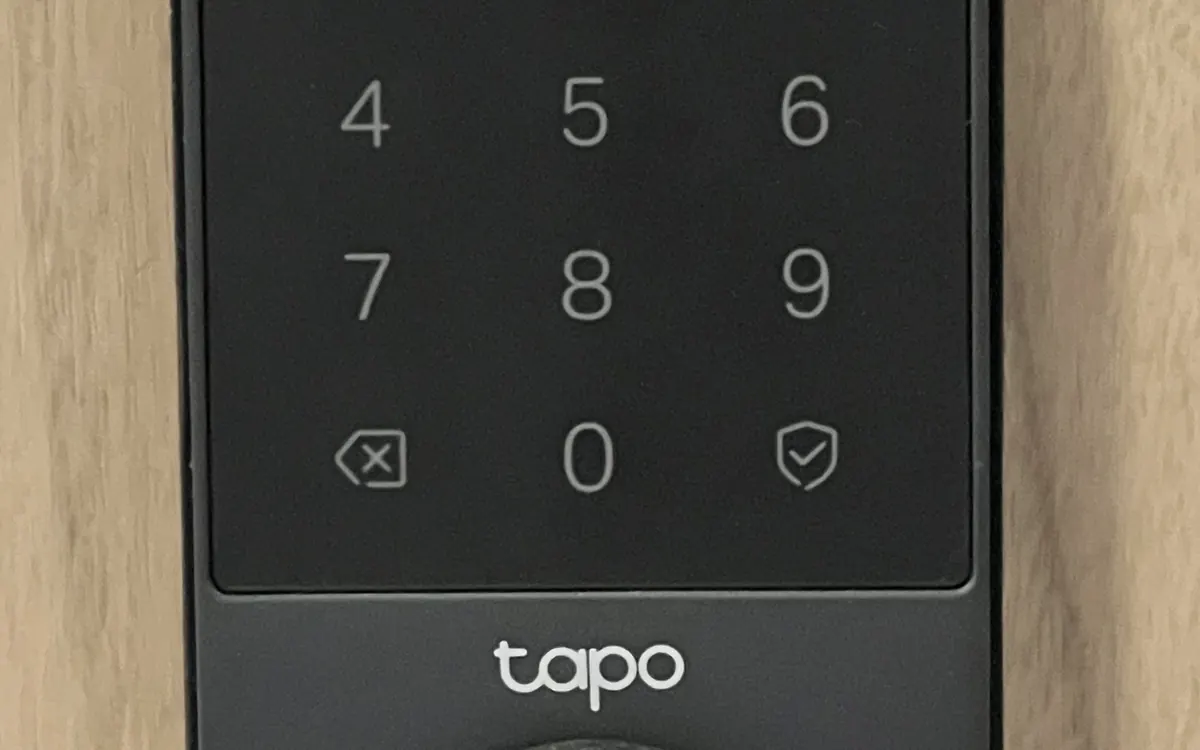
Quick verdictStart with your door and cylinder, then pick how it connects (Matter over Thread is the safest bet), then the way you unlock it. Make sure there is always a backup way in.
Jump to the verdict ↓On this page
A smart lock lets you unlock the front door with your phone, a code or a fingerprint, let a cleaner or courier in while you're out, and see who came and went. It's also the one smart home device that can lock you out if you choose badly. The right model depends far more on your door, your lock cylinder and your phone ecosystem than on the feature list. Here's how to choose.
Step 1: Check your door and lock
Lock hardware differs a lot between countries, so start here.
- European doors usually use a euro-profile cylinder inside a multipoint or mortise lock. Smart locks for them either fit over the inside of the existing cylinder and turn the key or thumb-turn for you, or replace the cylinder with a motorised one. You'll need the right cylinder length and, for retrofit models, often a cylinder with an emergency function so a key still works from outside when one is left inside.
- North American doors mostly use a single-cylinder deadbolt. Smart locks either replace the interior thumb-turn (retrofit) or the entire deadbolt.
- Multipoint locks that need the handle lifted before the key turns can't be fully automated by most retrofit locks: the lock can turn the cylinder, but someone still has to lift the handle. Check the manufacturer's compatibility tool before buying.
Measure first, and check whether you're allowed to change the lock if you rent.
Step 2: Retrofit or full replacement?
| Retrofit (fits over inside) | Full replacement | |
|---|---|---|
| Outside of the door | Unchanged, you keep your key | New handle, keypad or fingerprint reader |
| Installation | Usually tool-light, reversible | Swap the deadbolt or cylinder |
| Good for renters | Often yes | Only with permission |
| Keypad or fingerprint | Usually an add-on accessory | Often built in |
| Main drawback | Bulky on the inside | More work, harder to undo |
Step 3: How does it connect?
Connection decides how fast it responds, how long the batteries last and whether it works with your smart home.
- Bluetooth only: works when your phone is nearby. Simple and frugal with batteries, but no remote access or alerts unless you add a bridge or hub.
- Wi‑Fi: remote control without a hub, but Wi‑Fi radios use more power, so batteries need changing or charging more often.
- Thread: a low-power mesh network used by Matter. It responds quickly and is easy on batteries, but needs a Thread border router, such as many recent smart speakers, hubs and streaming boxes.
- Zigbee or Z‑Wave: common with dedicated hubs like Home Assistant, SmartThings or Aqara setups.
Matter support means the lock can work with Apple Home, Google Home, Amazon Alexa and Home Assistant without being tied to one app. Our Matter and Thread explainer covers how the two fit together. Matter covers locking, unlocking and status; some extras like fingerprint enrolment or access logs may still need the maker's app.
Step 4: Choose how you'll unlock it
- Phone app and auto-unlock: convenient, but auto-unlock based on location can be slow or misfire, so many people turn it off.
- Keypad and PIN codes: the most practical option for guests. Look for temporary or scheduled codes, and for "scramble" or extra-digit features that make fingerprint smudges less useful.
- Fingerprint: fast for the household. Check how many fingerprints it stores and whether it works in rain or cold if it's outside.
- NFC, key cards and digital home keys: Apple's Home Key and similar features let you tap an iPhone or watch, but only on supported models.
- Face recognition: found on some premium locks; useful hands-free, but adds cost and power draw.
Step 5: Power and the backup plan
Most smart locks run on AA batteries or a rechargeable pack. Typical life is a few months to about a year, depending on the radio and how often the door is used, so use the maker's figure only as a guide. Before you buy, check:
- Low-battery warnings in the app and on the lock.
- An emergency power option, such as a USB‑C port or 9 V contacts, to wake a flat lock from outside.
- A physical key or another fallback. A smart lock with no key and a dead battery is a locksmith call.
Step 6: Security and privacy
- Look for recognised standards: in Europe, cylinders rated to EN 1303 or tested to a high attack-resistance grade; in the US, ANSI/BHMA grades. A smart motor doesn't make a weak cylinder strong.
- Prefer locks with end-to-end encrypted cloud access, two-factor authentication on the account and regular firmware updates.
- Access logs show who unlocked and when. Decide who can see them, and how long they are kept.
- Choose a brand with a clear update record: a lock should get security patches for years.
Step 7: Features worth paying for
- Door sensor that knows if the door is actually closed, so auto-lock doesn't throw the bolt into thin air.
- Auto-lock after a delay, and one-touch locking from the outside.
- Integration with a doorbell or camera, so you can see who's there and unlock in one step. Ring's lineup is one example: see Ring's smart lock and 4K cameras, and our video doorbell buying guide if you need one.
+ Pros
- No more hunting for keys or hiding a spare under the mat
- Temporary codes for guests, cleaners and deliveries
- History of who came and went
− Cons
- Batteries need watching
- Compatibility with your door is not guaranteed
- Cloud features can depend on the maker's servers
Common mistakes
- Buying before checking the cylinder type and length.
- Choosing Wi‑Fi for a busy door and then changing batteries constantly.
- Relying on auto-unlock as the only method.
- Ignoring the inside: a large retrofit body can block a handle or a security chain.
Our verdict
Fit first, then Matter over Thread, then the unlock method
Make sure the lock fits your door and cylinder, and keep a physical backup. If you're starting fresh, a Matter-over-Thread lock gives you quick response, good battery life and freedom to switch ecosystems later. Then pick the unlock method your household will actually use: a keypad is the most flexible, a fingerprint the fastest. Pay extra for a door sensor and a brand with a good update record before paying for face recognition.
Frequently asked questions
Can a smart lock be hacked?
Any connected device can have flaws, but well-made locks use encryption and receive firmware updates. A weak mechanical cylinder is usually the bigger risk, so check its rating too.
What happens if the battery dies?
You get warnings for weeks first. If it does die, use the physical key or the emergency power port many locks have on the outside.
Do I need a hub?
Wi‑Fi locks don't. Bluetooth locks need a bridge for remote access, and Thread locks need a Thread border router, which many smart speakers and hubs already include.
Can I install a smart lock in a rented flat?
Often yes with a retrofit lock that fits over the inside of the existing cylinder and can be removed later, but check your tenancy agreement first.
More from Smart Home
View all →Buying guide
Aqara Outdoor Plug H2 EU: Thread or Zigbee mode?
Read next

DLSS 4.5 lands in Cyberpunk 2077, Modern Warfare 4 and more
Nvidia's latest Game Ready update brings DLSS 4.5 to Cyberpunk 2077 on 22 October, Modern Warfare 4 on 23 October and Phantom Blade Zero on 28 October.
Spotify's native in-car app debuts in Audi, no phone needed
Spotify's new built-in car app launches first in Audi's A6 e-tron, Q6 e-tron, A5, Q5 and A6, with video and lyrics when parked or charging and Jam for passengers.

OpenAI's GPT-6 models are coming to Google Cloud
GPT-6 Astra, GPT-6.1 Sol and GPT-6 Luna are entering private preview in Google Cloud's model garden. OpenAI models will now be on all three big US clouds.