Alexa for Shopping now handles refunds, lists and subscriptions
Amazon's AI assistant Alexa for Shopping adds 100+ account actions in the US, from registries and Subscribe & Save to refund tracking and billing questions.
LandGadget Newsroom · · 3 min read
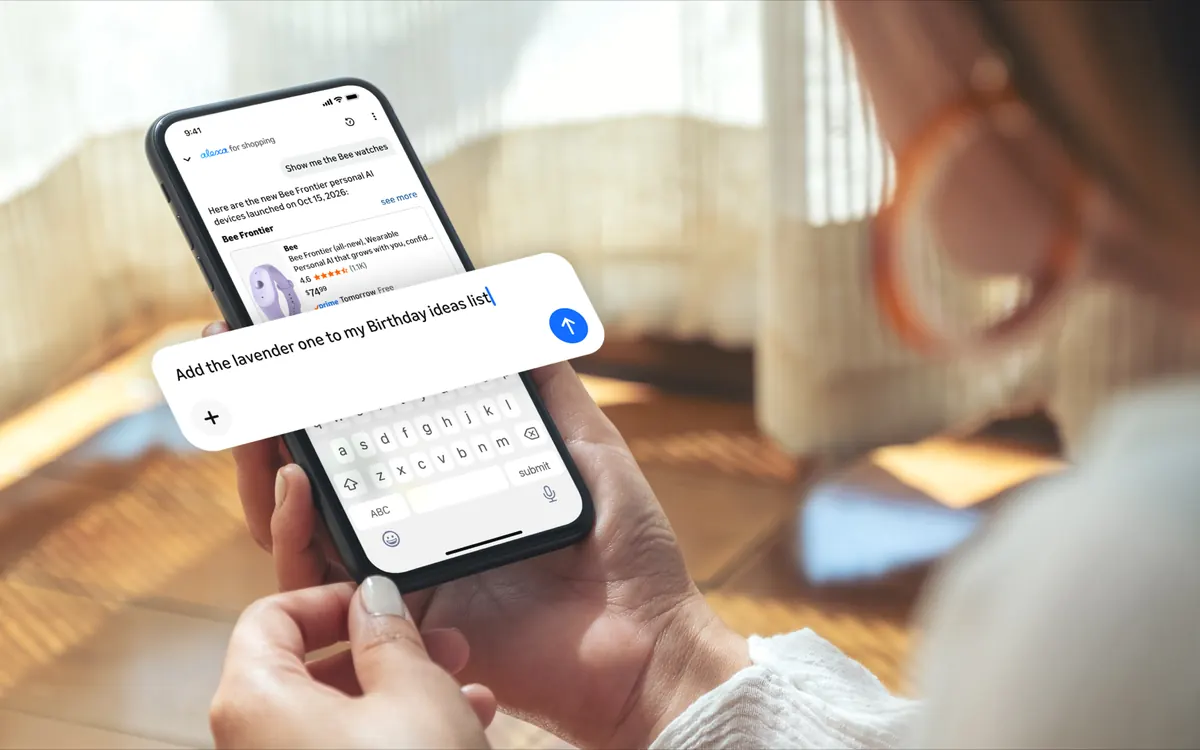
Amazon wants its AI assistant to handle the boring parts of online shopping too. On 29 October the company said Alexa for Shopping can now carry out more than 100 new actions through plain conversation. They cover the account chores that usually mean digging through menus, not only finding and buying products.
What you can ask it to do
Amazon groups the new abilities into five areas:
- Lists and registries: create a shopping list, add or move items, or check what's left on a baby or wedding registry.
- Subscribe & Save: skip the next delivery, pause a subscription or change how often an item arrives ("every three months").
- Memberships: ask what your Prime benefits are, how much you've saved with Prime this year or when an Audible subscription renews.
- Delivery instructions: add or change drop-off notes for a saved address.
- Payments and billing: flag an unrecognised charge, check a gift card balance or ask "Where is my refund?".
The features are live for all Amazon customers in the US. To use them, tap the Alexa icon in the Amazon Shopping app or open Alexa for Shopping at the top of Amazon's desktop site. Amazon hasn't announced timing for other countries.
Amazon's agent push
Alexa for Shopping already compares products, sets price alerts, adds items to your basket and can buy something automatically when it drops below a price you choose. Amazon says more than 400 million customers have used it in the last 12 months, and that use of its agentic (action-taking) features has grown more than eightfold since the start of the year. These are Amazon's own figures.
The Verge notes that Amazon keeps building its own shopping agent while resisting third-party AI agents, such as those from Meta and Perplexity, that want to shop on Amazon for users. Keeping account tasks inside Alexa makes Amazon's assistant more useful and gives outside agents fewer reasons to exist.
A sensible caution
An assistant that can change subscriptions and look into charges is handy, but check what it did. Confirm changes on the order or subscription page, especially before the holidays. Treat any message that claims to be "Alexa" and asks you to log in through a link with suspicion; Amazon's assistant lives inside its app and website. Our guides to ChatGPT privacy settings and spotting fake apps on Google Play cover similar habits for AI tools and shopping apps.
More from Computers & AI
View all →Read next
How to choose a baby monitor: Wi‑Fi vs non‑Wi‑Fi, security
Audio, local video or Wi‑Fi app monitor? How to choose a baby monitor by range, night vision, battery, privacy and security, plus the setup steps that matter.

HDMI vs DisplayPort: which cable should you use in 2026?
HDMI vs DisplayPort explained: HDMI 2.1 and 2.2 vs DisplayPort 1.4 and 2.1 bandwidth, which to use for gaming monitors, TVs, consoles and laptops, plus cables.
How long does it take to charge an electric car?
From 40+ hours on a wall socket to about 20–40 minutes on a fast charger: how long EV charging really takes, how to work it out for your car, and what slows it.