What is cloud gaming? How it works and what you need
Cloud gaming explained: how game streaming works, what internet speed and latency you need, how Xbox Cloud, GeForce NOW, PS Plus and Luna differ, and who it suits.
LandGadget Newsroom · · 7 min read
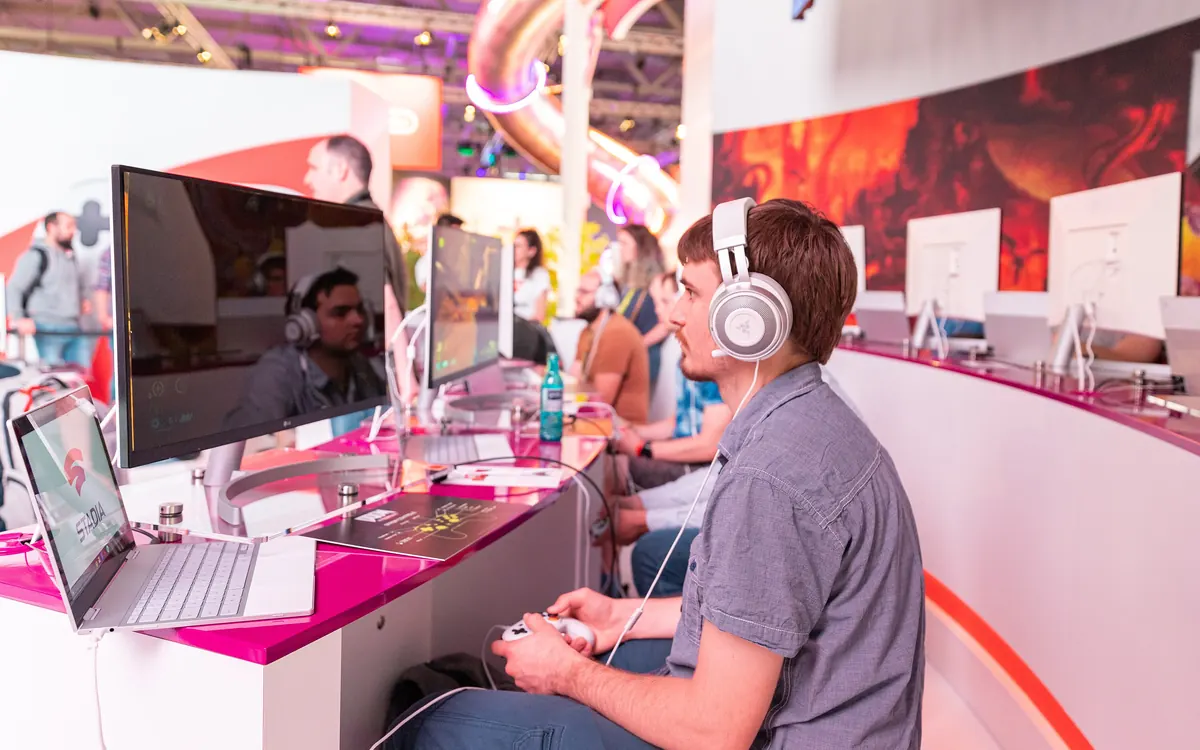
Cloud gaming lets you play a modern game on a phone, a cheap laptop or a smart TV without a console or a gaming PC. The heavy lifting happens in a data centre. This explainer covers how it works, what you really need at home, how the main services differ and when you are better off with local hardware.
How cloud gaming works
When you start a game on a cloud service, it runs on a powerful server with a graphics card in the provider's data centre. That server renders each frame, compresses it into a video stream and sends it to your device, much like Netflix sends a film. At the same time, every press of a button or move of the stick travels from your controller to the server, which updates the game and sends back the next frames.
Your device mostly decodes video and sends inputs. That is why a TV app or a browser tab can run games that would otherwise need a high-end GPU. The trade-off is that everything depends on the round trip between you and the server.
Latency: the number that matters most
Latency is the time it takes for your input to reach the server and for the result to come back to your screen. In local gaming, that delay is just the controller, the console and the display. In the cloud, the network adds to it, and the video has to be compressed and decompressed on top.
You notice latency as a small lag between pressing a button and seeing the result. In slow-paced games, such as turn-based strategy, RPGs or adventure games, most people barely notice. In fast competitive shooters, fighting games or rhythm games, even a little extra delay can matter.
Three things make the biggest difference:
- Distance to the data centre. The closer the nearest server region, the lower the delay. Availability by country varies by service.
- Your home network. Wi-Fi interference and congested channels add delay and cause stutter.
- Stability. Short drops in connection show up as blurry frames, freezes or lost inputs.
What internet speed do you need?
Each service publishes its own minimums, and they change, so check the current requirements before you subscribe. As a rough guide, 1080p streaming typically needs somewhere around 10–25 Mbps of steady bandwidth, and 4K streams need considerably more. Speed on paper is not everything: a stable 50 Mbps line with low ping usually beats a jittery 500 Mbps one.
Streaming also uses a lot of data, often several gigabytes per hour at higher quality. That is fine on unlimited home broadband but can burn through a mobile plan quickly.
What you need at home
- A device with an app or browser support: phones, tablets, many smart TVs and streaming sticks, PCs and Macs, and some consoles.
- A controller: most services work best with a Bluetooth gamepad; some support touch controls or keyboard and mouse. Our PC game controller buying guide covers what to look for.
- A good router setup: newer standards help with congestion and latency; our Wi-Fi 7 explainer explains what actually improves.
- An account and, usually, a subscription or game purchases with the service.
How the main services differ
The key difference is what you pay for: access to a catalogue of games, or the right to stream games you already own.
| Service | What you stream | How you pay |
|---|---|---|
| Xbox Cloud Gaming | Game Pass catalogue and some games you own | Game Pass tiers with monthly cloud hours; Cloud Playtime packs for non-subscribers |
| NVIDIA GeForce NOW | Games you own on stores such as Steam and Epic | Free tier with limits or paid memberships |
| PlayStation Plus Premium | Selected PlayStation games from the catalogue | PS Plus subscription (top tier) |
| Amazon Luna | Games included with Prime and add-on channels | Prime membership; also inside Prime Video on Fire TV |
Recent changes show how quickly the market moves. Microsoft is adding monthly cloud-hour limits to Game Pass tiers from November and selling ad-free Xbox Cloud Playtime packs to people without a subscription. Amazon has put Luna games inside the Prime Video app on Fire TV in more countries. Carriers bundle access too: T-Mobile's new plans let customers pick Game Pass as a perk, as covered in our story on T-Mobile's T-Mix plans.
It is also a reminder that services can disappear. Google shut down Stadia in January 2023, and players lost access to the games they had bought there (Google refunded purchases). When you rely on the cloud, you are renting access, not owning a copy.
Cloud vs a console or gaming PC
+ Pros
- No expensive hardware; play on devices you already own
- No downloads, patches or storage to manage
- Quick way to try a game before buying
- Easy to switch between TV, laptop and phone
− Cons
- Extra input lag, noticeable in fast competitive games
- Image quality drops when the connection wobbles
- Needs a stable connection and uses lots of data
- Limits on hours, queues at peak times and games leaving catalogues
Who cloud gaming suits
Cloud gaming makes most sense if you play casually, want to try big releases without buying a console, travel with a laptop or tablet, or share a TV with family. It is a weaker choice if you play competitive multiplayer seriously, have slow or unstable internet, or want to keep your games long term. Many people use both: a console or PC at home and the cloud for trying games or playing away from it.
Frequently asked questions
Is cloud gaming free?
Some services offer free tiers or ad-supported sessions with limits, but most require a subscription, a game purchase or both. Free tiers usually have shorter sessions and queues.
Does cloud gaming work on Wi-Fi?
Yes, but quality depends on the signal. Use the 5 GHz or 6 GHz band near the router, or Ethernet where possible, and avoid other heavy traffic on the network while you play.
Can I play cloud games on a smart TV?
Many recent smart TVs and streaming sticks have apps for services such as Xbox Cloud Gaming, GeForce NOW or Amazon Luna. Pair a Bluetooth controller for the best experience.
Is cloud gaming good for competitive shooters?
It can work on an excellent connection close to a data centre, but the extra latency is a disadvantage in fast competitive games compared with playing on local hardware.
Do I own the games I play in the cloud?
Only if you bought them on a store the service streams from, such as with GeForce NOW. Catalogue games are rented through your subscription and can leave the service.
More from Gaming
View all →Read next

Record gamma-ray burst kept flaring for 27 days
Astronomers say GRB 220706A's central engine stayed active for about 27 days, flaring in X-rays far later than any burst before. What may power it and why it matters.
Samsung reportedly cuts Galaxy A output 20% on memory costs
ETNews says Samsung is cutting Galaxy A production by about 20%, roughly 10 million phones, to favour flagships as memory and chip costs squeeze margins.
How to choose a tablet in 2026: iPad, Android or Windows?
Tablet buying guide 2026: iPad vs Android vs Windows, screen size, OLED vs LCD, RAM and storage, stylus and keyboard costs, cellular and software updates.