How to choose a PC game controller: buying guide
Xbox, DualSense, Switch Pro or a third-party pad? How to pick a PC game controller: compatibility, wired vs wireless, Hall effect sticks, gyro, back buttons and battery.
LandGadget Newsroom · · 8 min read
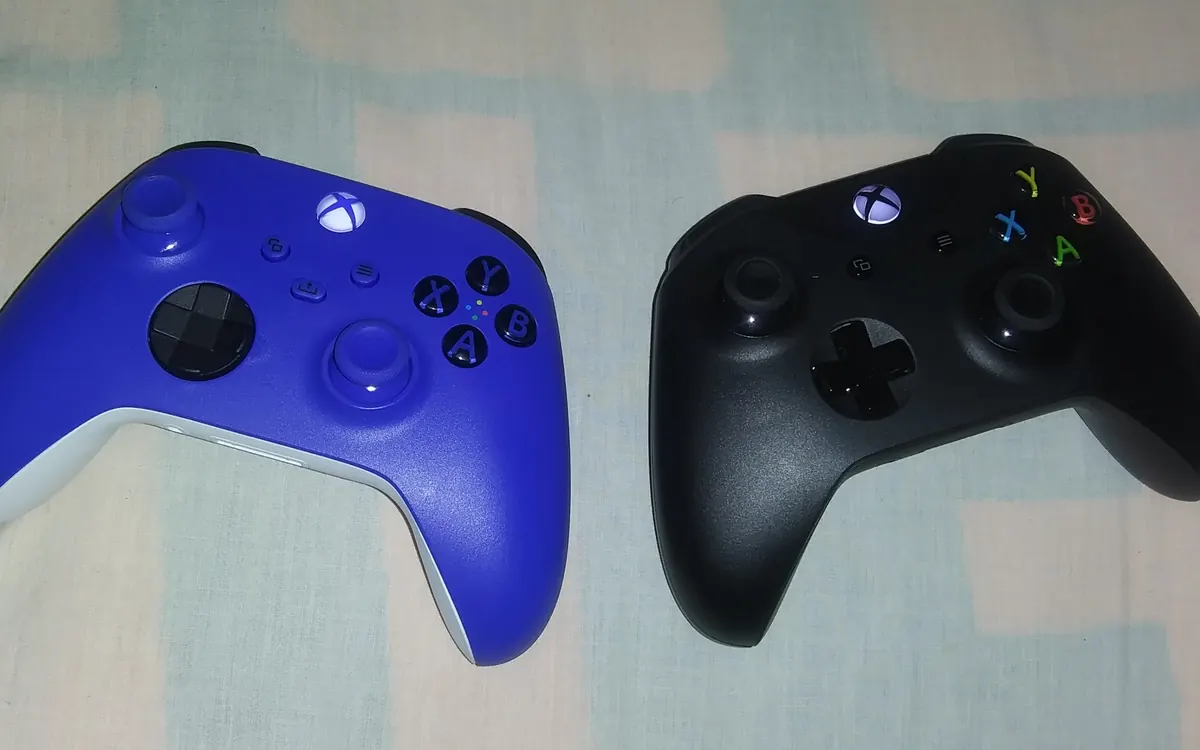
Quick verdictFor most PC players an Xbox-layout pad is the least hassle; pick a DualSense or Switch Pro for gyro aiming via Steam, and a Hall effect third-party pad if stick drift has burned you before.
Jump to the verdict ↓On this page
A keyboard and mouse is still the best way to play shooters and strategy games on a PC, but for racing, action, platformers, sports and anything you play from the sofa, a controller is simply more comfortable. The catch is that "works with PC" covers a lot of ground. Some pads plug in and just work in every game; others need extra software, lose features over Bluetooth, or develop stick drift within a year.
This guide explains what actually matters when you choose a PC game controller, in plain terms. We don't run our own lab tests, so there are no scores here; where we mention a specific product, the details come from the manufacturer.
Start with compatibility: why Xbox layout is the default
Most PC games are built around Microsoft's controller standard, called XInput. Windows supports Xbox controllers out of the box, and games show the matching A/B/X/Y button prompts automatically. That's why an official Xbox pad, or a third-party pad that identifies itself as one, is the least fuss on PC: no drivers, no remapping, correct on-screen icons.
PlayStation and Nintendo pads work too, but usually through a translation layer. Steam Input, built into the Steam client, supports DualShock 4, DualSense, Switch Pro and many other controllers and presents them to games as if they were Xbox pads. Outside Steam, in other launchers or emulators, support varies by game, and you may need extra tools.
Rule of thumb: if you play mostly through Steam, almost any popular controller will be fine. If you use Game Pass for PC, the Epic or EA apps, or a mix of launchers, an Xbox-layout pad avoids headaches.
Wired, 2.4 GHz dongle or Bluetooth?
How the controller connects affects latency, battery life and how many features you get.
- Wired USB is the simplest: no pairing, no batteries, the lowest and most consistent latency. It's the best choice at a desk.
- 2.4 GHz wireless dongle (a small USB receiver) gives near-wired responsiveness without the cable and is common on third-party pads. Official Xbox controllers use Microsoft's own Xbox Wireless protocol, which on most PCs needs the separate Xbox Wireless Adapter.
- Bluetooth needs no dongle and works with phones and tablets too, but latency can be higher and less consistent, and some features may be limited. Pairing several Bluetooth devices at once can also cause interference.
If a pad offers several modes, use wired or the dongle for fast games and Bluetooth for casual play or travel.
Sticks: the stick drift problem and Hall effect
Stick drift, when your character or camera moves without you touching the stick, is the most common controller failure. Traditional analogue sticks use potentiometers, which rely on physical contact that wears over time.
Hall effect sticks measure position with magnets and a sensor instead, so there is no rubbing contact to wear out. Newer pads also use TMR (tunnel magnetoresistance) sensors on a similar principle. Neither makes a controller indestructible, but both remove the most common cause of drift. Many third-party pads now advertise Hall effect sticks, and some also use them for the triggers.
Also check whether the stick caps are swappable (taller caps give finer aim) and whether the sticks have a comfortable resistance.
Triggers, buttons and extras that are worth it
- Back buttons or paddles let you jump, reload or crouch without taking your thumb off the right stick. They're the single most useful "pro" feature for action games.
- Trigger stops shorten trigger travel, so you can fire faster in shooters, then switch back for gradual acceleration in racing games.
- Rumble and haptics: basic rumble works almost everywhere. Sony's DualSense adds detailed haptics and adaptive triggers, but on PC they only work in games that support them, and some games need a wired connection for these effects.
- Gyro aiming uses motion sensors so you can fine-tune aim by tilting the pad. DualSense, DualShock 4 and Switch Pro have gyros and Steam Input supports them well; official Xbox controllers don't have one.
- Polling rate: some third-party pads advertise high polling rates (how often the controller reports to the PC). It can reduce input delay slightly, but it matters mainly to competitive players.
- Companion software for remapping buttons, adjusting dead zones and trigger curves is useful, but check that it's available for Windows and doesn't require an account just to work.
Battery and charging
Official Xbox Series controllers run on AA batteries or an optional rechargeable pack. Many other pads have a built-in rechargeable battery and charge over USB‑C. Microsoft's new Xbox Nano Controller, for example, has a rechargeable battery, according to our Xbox Nano Controller report. Replaceable AA cells are handy when you can't wait for a charge, while built-in batteries are tidier but eventually wear out.
Side-by-side comparison
| Xbox-style pad | PlayStation DualSense | Switch Pro | Third-party Hall effect pad | |
|---|---|---|---|---|
| PC setup | Plug and play in Windows | Easiest through Steam Input | Works through Steam Input | Usually appears as an Xbox pad |
| Button prompts | Native in most games | Shown in many newer games | Often shown as Xbox icons | Xbox icons |
| Gyro aiming | No | Yes | Yes | Some models |
| Stick drift risk | Standard sticks | Standard sticks | Standard sticks | Lower with Hall/TMR sticks |
| Best for | Any launcher, Game Pass | Steam players who want haptics/gyro | Steam players used to Nintendo layout | Back buttons and durability on a budget |
Pros and cons of going third-party
+ Pros
- Hall effect or TMR sticks that resist drift are common
- Back buttons, trigger stops and a wireless dongle often come as standard
- Frequently cheaper than first-party pads with similar extras
− Cons
- Build quality, warranty and software support vary widely between brands
- Fewer reviews and spare parts for lesser-known models
- Some features need companion apps that may not get long-term updates
A quick checklist before you buy
- Where do you launch games? Steam only, or a mix of launchers?
- How will you connect? Desk (wired or dongle) or sofa and laptop (dongle or Bluetooth)?
- Do you want gyro aim or advanced haptics? That points to Sony or Nintendo pads via Steam.
- Has drift killed a controller before? Look for Hall effect or TMR sticks.
- Do you play fast action games? Back buttons and trigger stops are worth paying for.
- Batteries or built-in? Decide whether swappable AA cells or USB‑C charging suits you.
If you're also upgrading the rest of your setup, our gaming monitor guide and gaming headset buying guide cover the screen and sound.
Our verdict
Xbox layout for simplicity, Sony or Nintendo for gyro via Steam, Hall effect for durability
For most people, an Xbox-layout controller is the safest PC choice because Windows and almost every game support it natively. If you play mainly on Steam and want gyro aiming or richer haptics, a DualSense or Switch Pro works well through Steam Input. If you want back buttons and resistance to stick drift for less money, a reputable third-party pad with Hall effect or TMR sticks is worth a look; check reviews and warranty first.
Frequently asked questions
Does a PS5 DualSense controller work on PC?
Yes. It works over USB or Bluetooth and is fully supported through Steam Input. Haptics and adaptive triggers only work in games that support them, and some games need a wired connection for those effects.
Do I need an adapter for an Xbox controller on PC?
Not necessarily. You can use a USB cable or Bluetooth on models that support it. For Microsoft's own Xbox Wireless connection, most PCs need the separate Xbox Wireless Adapter.
What is a Hall effect controller?
It uses magnetic sensors to measure stick position instead of potentiometers with physical contact, which removes the most common cause of stick drift.
Is wired or wireless better for PC gaming?
Wired gives the lowest and most consistent latency and no batteries. A 2.4 GHz dongle comes close; Bluetooth is the most convenient but can add latency.
Can I use a Nintendo Switch Pro controller on PC?
Yes. Steam Input supports it, including gyro aiming. Outside Steam, support depends on the game.
More from Gaming
View all →Read next
1Password for Agents: AI can sign in without your password
1Password's new Agents platform lets AI assistants like Meta's Muse log in on your behalf after you approve, filling credentials the agent never sees or keeps.
iPhone Duo reviews: the best foldable, with trade-offs
Reviewers agree the iPhone Duo is the most polished foldable so far, but flag Touch ID, weight, app support and cameras. Gurman says Duo 2 tests Face ID.

Seattle will add up to 200 curbside EV chargers by 2030
Seattle is letting residents pick sites for up to 200 new curbside Level 2 EV chargers near apartments, with installs from fall 2027 to 2030.