bp pulse joins ChargeHub roaming: 850+ US fast chargers, no extra app
bp pulse has joined ChargeHub's Passport Hub, so drivers can find, start and pay for 850+ charging points at 95+ US sites from ChargeHub and partner apps.
LandGadget Newsroom · · 2 min read
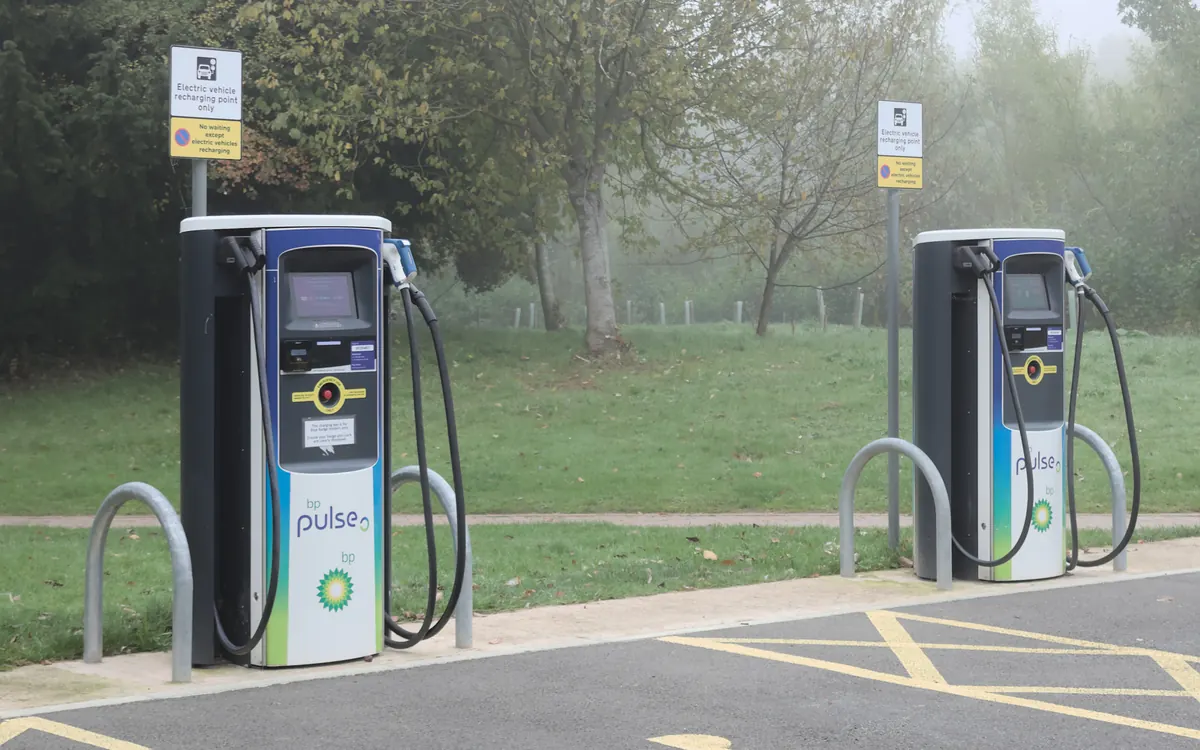
EV drivers in the US now have another way to use bp pulse fast chargers without installing the network's own app. bp pulse has joined ChargeHub's Passport Hub, connecting more than 850 charging points at over 95 US locations to ChargeHub and the charging services and automakers that participate in the hub, Electrek reports.
How Passport Hub works
Passport Hub sits between charging networks and the apps drivers already use. It exchanges session data and settles payments, so a charging operator can reach many services through one integration instead of building separate deals with each app or carmaker.
In practice, a ChargeHub user can open a bp pulse location, pick a port and start charging from their existing account. The app shows the charging cost and wallet balance, and drivers need funds in their ChargeHub wallet to begin a session. ChargeHub also shows real-time charger availability and lets you filter by connector type. Its bp pulse guide says most of the network's chargers use CCS, with a growing share offering NACS. If those names are confusing, our guide to EV charging connector types explains the difference.
Check the price first
Using a roaming app doesn't necessarily mean paying the same as with another payment method. ChargeHub notes that its Plus subscription waives activation fees, so the total can differ between accounts. Electrek recommends checking the price shown in the app before starting a session.
More sites, too
bp pulse has also been opening new locations, including 12 charging bays at a TravelCenters of America stop in Grand Bay, Alabama, and 22 bays near Dallas–Fort Worth International Airport.
Roaming deals like this matter because they cut down the number of apps and accounts drivers need on road trips. For a sense of how long a stop at a fast charger takes, see our explainer on how long it takes to charge an EV.
More from Cars & EVs
View all →Read next
Wi-Fi extender vs mesh: which fixes dead zones?
Wi-Fi extender vs mesh system explained: how each works, speed loss, roaming, cost, when a cheap extender is enough and when mesh or a wired access point is better.

144Hz vs 240Hz: which refresh rate do you need?
60Hz vs 144Hz vs 240Hz explained: what refresh rate really changes, the frame rate your PC needs, which games benefit, and when 360Hz or 500Hz is worth it.
How many case fans do I need? PC airflow setup guide
How many case fans a gaming PC really needs, which way to point them, intake vs exhaust, positive vs negative pressure, 120 vs 140 mm and how to set fan curves.