Fitness tracker vs smartwatch: which should you buy?
Fitness tracker or smartwatch? Compare battery life, GPS, health sensors, apps, payments, LTE and real costs, with a simple checklist to pick the right wearable.
LandGadget Newsroom · · 8 min read
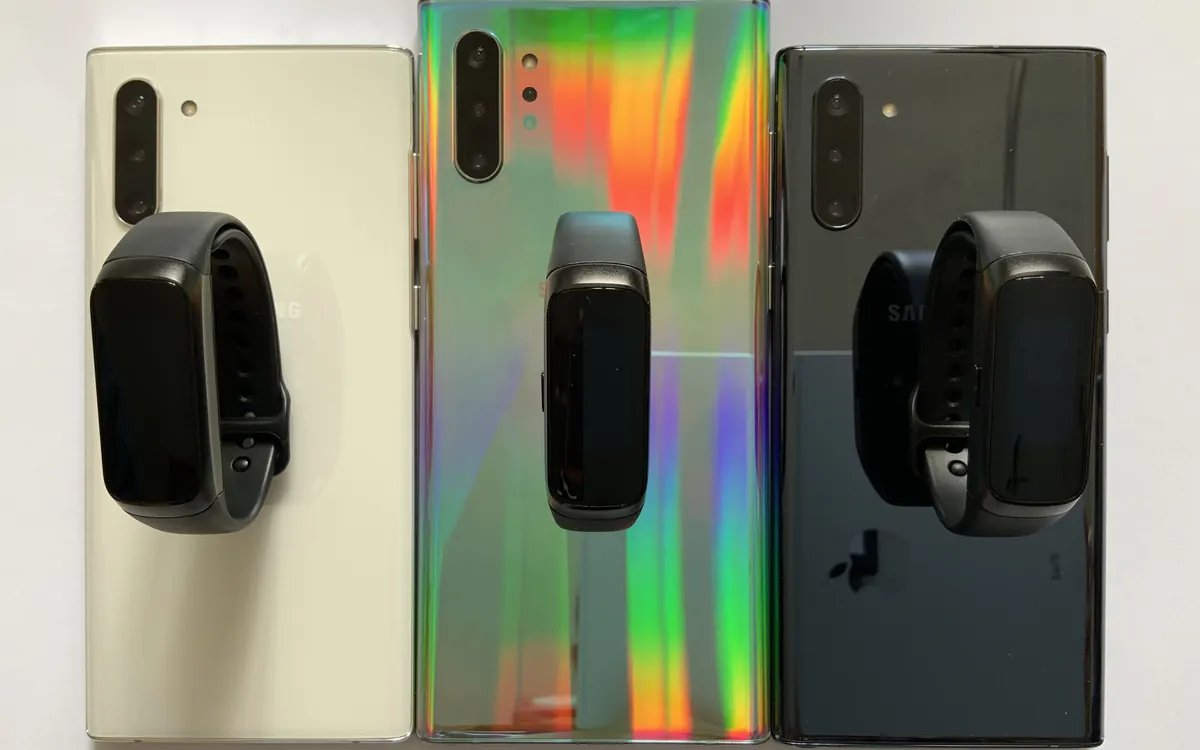
Quick verdictGet a tracker if you want long battery life and health data at a lower price; get a smartwatch if you'll use apps, payments, maps and replies on your wrist.
Jump to the verdict ↓On this page
Fitness trackers and smartwatches now share most of the same sensors, so the line between them is blurrier than ever. A modern band can have a colour touchscreen, built-in GPS and an ECG, while some smartwatches last more than a day on a charge. The real difference is what the device is for: a tracker is built to measure your body quietly in the background, a smartwatch is built to be a small computer on your wrist that also measures your body.
This guide explains the trade-offs in plain terms so you can decide which type fits your routine before you start comparing models. We don't publish lab tests of our own; where we mention a specific product, the figures come from the manufacturer.
What actually separates the two
Fitness trackers are slim bands with a small screen (or no screen at all). They focus on steps, heart rate, sleep, workouts and notifications you can read but rarely answer. Software is simple and closed: you get the features the maker ships and little else.
Smartwatches have larger, brighter displays and a full operating system such as watchOS, Wear OS or the maker's own platform. You can install apps, reply to messages, pay at a terminal, follow turn-by-turn directions, control smart-home devices and, on cellular models, make calls without your phone nearby.
Google's new Fitbit Edge is a good example of how close the two have become: according to Google, it has a 1.34-inch OLED screen, built-in GPS, ECG and blood-oxygen sensors and up to seven days of battery, yet it skips NFC payments and the app ecosystem of a Pixel Watch. Read our Fitbit Edge launch report for the details.
Side-by-side comparison
| Fitness tracker | Smartwatch | |
|---|---|---|
| Battery life | Usually several days to a week or more | Often one to two days; some last longer |
| Screen | Small, narrow or none | Large, bright, touch-first |
| Health tracking | Steps, heart rate, sleep, often SpO2 and ECG | Same core sensors, sometimes more |
| Apps and replies | Limited or none | App store, replies, voice assistant |
| Payments, maps, LTE | Rare (depends on model) | Common on mid- and high-end models |
Battery life: the biggest everyday difference
Battery is where you'll feel the difference first. Small, efficient screens and simpler software let many trackers go most of a week or longer between charges. That matters for sleep tracking: a device you have to charge every night is a device that isn't on your wrist while you sleep.
Smartwatches spend energy on big displays, always-on modes, apps and radios such as Wi‑Fi, LTE and GPS. Many need a top-up every day or two. Fast charging helps, but you still have to build the habit. If you know you'll forget to charge a watch, a tracker is the safer choice.
Two tips whichever you pick: GPS workouts drain any wearable much faster than daily use, so check the maker's figure for GPS time rather than just total days; and battery capacity shrinks as the cell ages, so a device that barely lasts a day when new will feel worse in two years.
Health and fitness tracking
For most people, the core health data is now very similar on both types: continuous heart rate, sleep stages, steps, active minutes and workout detection. Many trackers also measure blood oxygen and skin temperature, and some include an ECG app.
What differs is how you use the data:
- Running and cycling. Built-in GPS lets you leave your phone at home and still get an accurate route and pace. Check that the specific model has it; some cheaper bands borrow GPS from the phone instead.
- Swimming. Look for a water-resistance rating suitable for swimming and a dedicated swim mode, not just "splash resistant".
- Heart-rate accuracy. Wrist sensors are good at resting and steady-state heart rate and weaker during intervals and weight training. If precise training zones matter, pair a chest strap if the device supports it.
- Medical features. ECG and irregular-rhythm alerts are cleared only in some countries and models. Treat any wearable as a wellness tool, not a diagnosis.
Also check the subscription. Several brands put deeper insights, coaching or even basic sync features behind a monthly fee. Withings, for example, now charges new accounts to sync automatically with Apple Health and Health Connect, as we covered in our Withings+ report. Add any fee to the price before you compare.
Smart features: apps, payments, LTE and maps
This is where smartwatches earn their extra cost. Useful features to look for:
- Contactless payments (NFC). Handy for runs and gyms. Many trackers skip it; confirm your bank supports the platform.
- Message replies and voice assistant. Trackers usually show notifications; smartwatches let you answer with voice, quick replies or a keyboard.
- Maps and navigation. Turn-by-turn directions on the wrist are great when cycling or walking in a new city.
- Cellular (LTE) models. These use an eSIM so the watch can stream music, call and send messages without your phone. They cost more upfront and usually need an extra plan from your carrier. Our eSIM explainer covers how that works.
- Music offline. Some watches store playlists for phone-free workouts; you'll want Bluetooth earbuds, so see our wireless earbuds buying guide.
Phone compatibility matters more than specs
Before anything else, check that the wearable works fully with your phone. Apple Watch requires an iPhone. Most Wear OS watches work best with Android, and some features may be limited or missing on iPhone. Fitness trackers from big brands usually support both, but individual features, such as replies or payments, can differ by platform. Also check which health platform the companion app syncs to (Apple Health, Health Connect or third-party apps like Strava) and whether that sync is free.
Comfort, size and design
You'll wear this 24 hours a day if you want sleep data, so comfort matters. Trackers are lighter and narrower, which makes them easier to sleep in and less likely to catch on sleeves. Smartwatches come in several case sizes; a smaller case is lighter but has a smaller battery and screen. Look for standard quick-release straps so you can swap a sports band for something smarter.
+ Pros
- Tracker: longer battery life and better for all-night sleep tracking
- Tracker: lighter, more discreet and usually cheaper
- Smartwatch: apps, replies, payments and navigation on your wrist
- Smartwatch: LTE models can replace your phone for runs and errands
− Cons
- Tracker: limited apps, small screen and often no payments
- Smartwatch: needs charging more often
- Smartwatch: higher price, plus possible LTE plan costs
- Both: some health insights may require a subscription
Quick checklist before you buy
- Does it fully support your phone and the health app you already use?
- How many days of battery does the maker quote, and how many hours with GPS?
- Do you need built-in GPS, swim tracking or a chest-strap connection?
- Do you want payments, replies, maps or LTE? If not, a tracker saves money.
- Is there a subscription, and what stops working without it?
- Can you return it if it's uncomfortable to sleep in?
Frequently asked questions
Is a fitness tracker or a smartwatch better for sleep tracking?
Usually a fitness tracker, because it is lighter to wear at night and its longer battery life means you rarely have to take it off to charge. Many smartwatches track sleep well too if you charge them during the day.
Do fitness trackers have GPS?
Some do and some don't. Models with built-in GPS can record a route without your phone; others use the phone's GPS when it is nearby. Check the spec sheet for 'built-in GPS'.
Can a fitness tracker replace a smartwatch?
For health data and notifications, often yes. For apps, message replies, payments, maps and phone-free calls, you need a smartwatch.
Do I need an LTE smartwatch?
Only if you want calls, messages or streaming without your phone nearby, for example on runs. LTE models cost more and usually need an extra mobile plan.
Our verdict
Tracker for health and battery, smartwatch for apps and independence
If your main goal is steps, sleep and workouts with as little charging as possible, a fitness tracker is the better and cheaper choice. If you want payments, replies, maps and apps on your wrist, or a device that can leave the phone at home, choose a smartwatch and accept the daily charging. Either way, check phone compatibility and subscription costs before you buy.
More from Smartphones
View all →Read next
Eiliko AI robot charm maker vows security review after leaks
Energize Lab says it will hire an independent security firm and delete stored chats after The Verge showed its Eiliko AI robot exposed owners' transcripts.

Seattle will add up to 200 curbside EV chargers by 2030
Seattle is letting residents pick sites for up to 200 new curbside Level 2 EV chargers near apartments, with installs from fall 2027 to 2030.

EA shuts BioWare and cancels the next Mass Effect
EA is closing BioWare, the studio behind Mass Effect and Dragon Age, and ending work on the next Mass Effect as it cuts about 400 jobs. What it means for fans.