Apple Home Compatible Thermostats, Locks and Doorbells
Which thermostats, smart locks and video doorbells work with Apple Home in 2026: HomeKit vs Matter, Home Key, HomeKit Secure Video and what to check first.
LandGadget Newsroom · · 5 min read
Quick verdictMatter opened Apple Home to far more thermostats and locks. For Home Key or HomeKit Secure Video, though, you still need a device that supports those Apple features specifically.
Jump to the verdict ↓On this page
Apple Home used to have a short list of compatible devices, all carrying the "Works with Apple HomeKit" badge. Since iOS 16.1 added Matter, the list is much longer, but the features you get depend on how a device connects. This guide covers the three categories people ask about most: thermostats, locks and video doorbells. Model names are examples of products their makers say work with Apple Home; we haven't tested them, and support changes with firmware, so confirm on the box or the maker's site.
First: HomeKit or Matter?
A device can join Apple Home in two ways:
- Native HomeKit ("Works with Apple Home" badge). Gets Apple-specific extras where the maker supports them, such as Home Key for locks or HomeKit Secure Video for cameras.
- Matter (Matter logo). Works with Apple Home and other ecosystems. It covers the core controls, but Apple-only features may not be available.
Either way, you need an Apple home hub, a HomePod, HomePod mini or Apple TV, for remote control, automations and notifications. Thread devices also need a Thread border router: the HomePod mini, HomePod (2nd generation) and Apple TV 4K models with Thread support. For a primer, see what Matter is.
Thermostats that work with Apple Home
Matter is where thermostats gained the most. Examples:
- ecobee smart thermostats: long-time native HomeKit support, popular in North America.
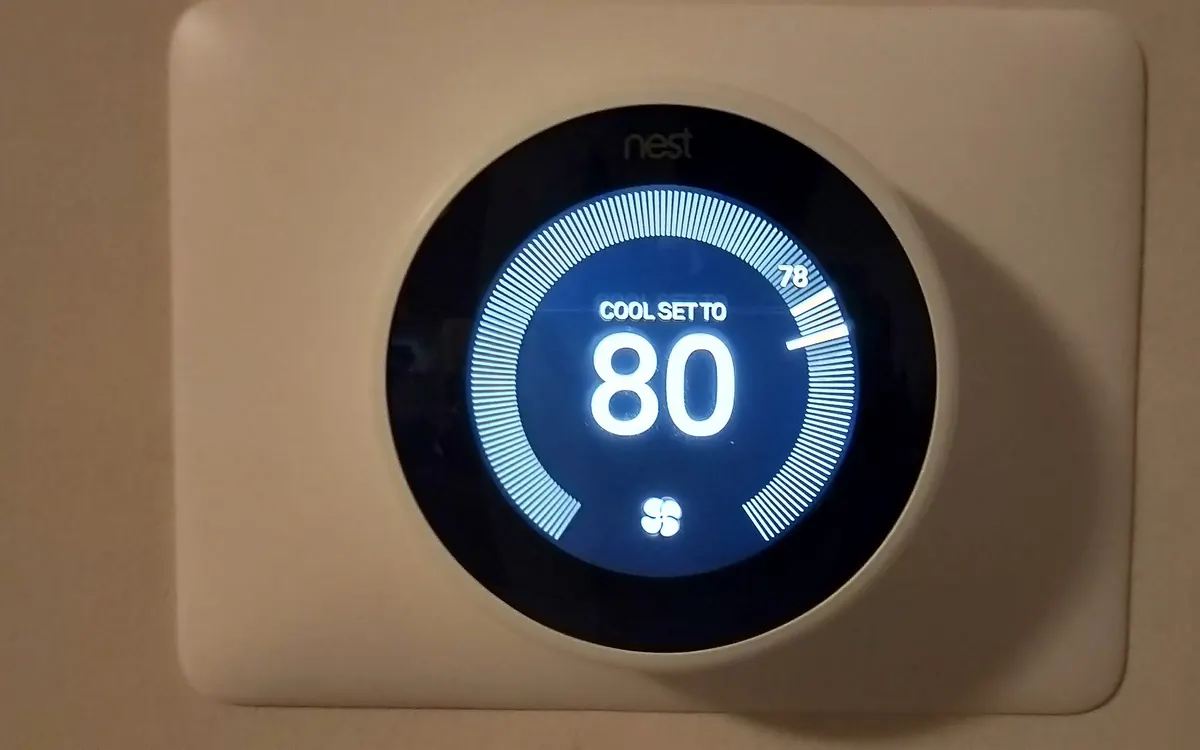
- Google Nest Learning Thermostat (4th gen) and Nest Thermostat (2020): Google added Matter, which lets them appear in Apple Home with core controls like mode and temperature.
- tado° X: Matter over Thread thermostats and radiator valves aimed at European homes.
- Netatmo Smart Thermostat: native HomeKit support, common in Europe.
What to check:
- Your heating system. Boiler, heat pump or electric heating need different products. Our smart thermostat buying guide covers wiring and compatibility.
- Schedules and learning features. Matter exposes temperature and mode; advanced schedules, learning and energy reports usually stay in the maker's app.
Smart locks that work with Apple Home
Locks have the biggest gap between HomeKit and Matter, because of Home Key, which lets you tap an iPhone or Apple Watch on the lock like a transit card.
| Native HomeKit lock | Matter lock | |
|---|---|---|
| Lock, unlock, status in Home | Yes | Yes |
| Home Key (tap iPhone/Watch) | On supported models | Generally no |
| Works with Google or Alexa too | Not by itself | Yes |
| Typical network | Thread, Wi‑Fi or Bluetooth | Thread or Wi‑Fi |
Examples of locks makers list as Apple Home compatible include Aqara's U-series locks and the Schlage Encode Plus and Level Lock+, which support Home Key, and the Nuki Smart Lock (4th generation), which uses Matter over Thread. Retrofit and cylinder types differ by country, so check fit first in our smart lock buying guide.
Video doorbells that work with Apple Home
Doorbells are the trickiest category. Apple Home shows camera feeds and recordings through HomeKit Secure Video (HKSV), which needs an iCloud+ plan and a home hub. Only some doorbells support it. Examples include the Aqara Video Doorbell G4 and Netatmo Smart Video Doorbell.
Many big brands, including Ring and Google Nest, do not support HomeKit Secure Video, so they can't be fully used in Apple Home. Matter 1.5 added cameras and doorbells in November 2025, which could change this, but products and Apple Home support are still arriving. Our video doorbell buying guide covers wiring, chimes and subscriptions.
Quick checklist before you buy
- Look for the "Works with Apple Home" badge or the Matter logo.
- Want Home Key or HKSV? Make sure those exact features are listed.
- Thread device? Confirm you have a Thread border router.
- Check your home hub is set up and up to date in the Home app.
- Read whether advanced features need the maker's app or a subscription.
+ Pros
- Matter makes most thermostats and many locks usable in Apple Home
- Native HomeKit adds Home Key and Secure Video on supported models
- Local control keeps working through internet outages
− Cons
- Matter versions rarely get Home Key
- Few doorbells support HomeKit Secure Video
- Advanced settings often stay in the maker's app
Our verdict
Matter for flexibility, HomeKit for Apple extras
For thermostats, Matter support is enough for most people. For locks, choose a native HomeKit model if you want Home Key, or Matter if you share your home with Android users. For doorbells, insist on HomeKit Secure Video until Matter camera support reaches Apple Home. New to Matter? Our starter kit suggests easier first devices.
Frequently asked questions
Do Matter devices work with Apple Home?
Yes. Apple Home has supported Matter since iOS 16.1. You need an Apple home hub for remote access and automations, and a Thread border router for Thread devices.
Does Ring work with Apple Home?
Not natively. Ring doorbells do not support HomeKit Secure Video, so they cannot be fully used in Apple Home.
Do I need a HomePod for Apple Home?
A HomePod, HomePod mini or Apple TV acts as the home hub. Without one you can control devices nearby, but remote control and automations are limited.
Can a Matter lock use Home Key?
Generally no. Home Key needs native HomeKit support with NFC, so check the lock's specs if you want it.
More from Smart Home
View all →Read next

Half-Life: Alyx adds foveated rendering on PC: which GPUs work
Valve's new Half-Life: Alyx patch adds a foveated rendering option on PC. It needs Nvidia GTX 16 or RTX 20 series or newer, AMD via Vulkan, and works best with eye tracking.

Iceberg A-81 reaches South Georgia after a 3-year drift
NASA satellite images show Antarctic iceberg A-81, about 1,550 km² of ice from the Brunt Ice Shelf, slowing at South Georgia's undersea shelf. Its route and why it matters.
Samsung Community goes offline for 72 hours: back up first
Samsung Community shuts for 72 hours from October 30 for an overhaul. DMs, drafts, bookmarks and subscriptions won't migrate. What to save and what changes after.