How to choose a smart thermostat in 2026
Wiring, Heat Pump compatibility, Matter/Thread, geofencing and energy reports — what to check before you replace a wall thermostat.
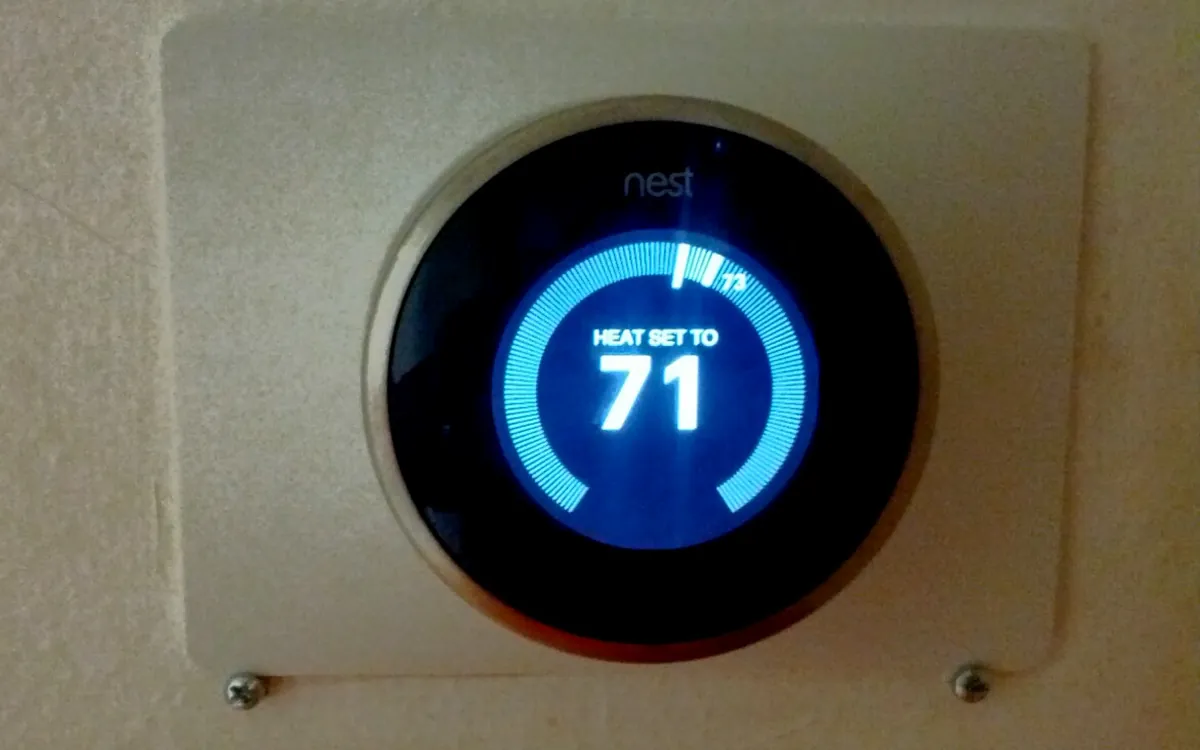
On this page
A smart thermostat only saves money and hassle if it fits your heating system, your wiring and the apps you already use. Spec sheets rarely lead with those constraints.
Confirm your system type first
- Furnace / boiler + AC — most mainstream smart thermostats support conventional multi-stage heat/cool.
- Heat pump — you need a model that understands heat-pump stages, auxiliary/emergency heat and (where relevant) dual-fuel setups. Wrong config wastes energy or shortens equipment life.
- Radiant / hydronic / district heat — check minimum cycle times and whether the thermostat talks to your zone valves or boiler controls.
- Line-voltage electric baseboard (120/240 V) — many low-voltage smart stats will not work; you need a line-voltage-rated unit.
If you are unsure, photograph the old thermostat’s wiring labels (R, C, W, Y, G, O/B, etc.) before you unscrew it and compare them to the new unit’s compatibility chart.
The C-wire (and what to do without one)
Most modern smart thermostats want a common (C) wire for continuous power. Options if you lack one:
- Run a new cable (best long-term fix).
- Use a manufacturer power extender / adapter at the furnace board (follow that brand’s kit only).
- Pick a model designed for power stealing or battery-only use — expect trade-offs in display brightness and feature set.
Do not bridge terminals randomly; incorrect wiring can damage the control board.
Sensors, scheduling and presence
Useful features in practice:
- Remote room sensors — better when the thermostat sits in a hallway that does not match the rooms you live in.
- Geofencing / occupancy — can set back heat when everyone leaves; verify it works with your phones’ OS privacy settings.
- Learning schedules — convenient if your routine is stable; less so if shifts change weekly.
- Room-by-room only matters if you have motorised dampers or multi-zone equipment the thermostat actually controls.
Matter, Thread, Alexa, Google, HomeKit
If you want the thermostat inside Apple Home, Google Home or Alexa without a proprietary lock-in:
- Prefer Matter support (often over Thread or Wi‑Fi) and check the current Matter version and which bridges you already own.
- A Thread Border Router in the home (HomePod, some Nest/Google/Apple hubs, recent routers) helps Thread devices stay local and responsive.
- App quality still matters for install wizards, energy reports and HVAC partner programmes — Matter does not replace a good setup flow.
Energy reports and utility rebates
Many regions offer rebates for qualifying smart thermostats. Check your utility’s list before buying a specific SKU. In-app energy reports are helpful for spotting waste, but treat percentage “savings” claims as marketing unless they match your climate and rate plan.
Installation and support
- Prefer clear wiring diagrams, live chat/phone support during install, and a return window.
- Professional install is worth it for heat pumps, dual-fuel and multi-zone systems.
- Confirm replacement faceplates if your old thermostat left a large wall scar.
A short buying checklist
- Match system type (heat pump vs conventional vs line-voltage).
- Confirm C-wire or an official power kit.
- Decide which voice/Matter ecosystems you need.
- Add remote sensors if the thermostat location is a bad temperature sample.
- Check utility rebates and warranty in your country.
Bottom line
Buy for compatibility and wiring, then for ecosystem and sensors. The prettiest dial is useless if it cannot run your heat pump’s auxiliary stage correctly.
More from Smart Home
View all →Read next
GTA VI launch trailer is live — five weeks to November 19
Rockstar dropped the Grand Theft Auto VI Launch Trailer on 15 October, with new PS5-captured footage and a debut score track, ahead of the 19 November release.
How much RAM do you need in 2026? 8, 16, 32 or 64 GB explained
What RAM does, how to tell if you're running out, and how much memory to get for browsing, office work, gaming, video editing and local AI in 2026.
How to choose wireless earbuds in 2026
Fit, ANC, codecs, battery, multipoint and IP rating: a practical buying guide to true wireless earbuds without invented lab scores or brand rankings.