ChatGPT Locked Chats: PIN lock for chats, but no encryption
ChatGPT can now hide chats behind a 4-digit PIN or Face ID. What Locked Chats protects, what it does not, and why forgetting the PIN deletes everything.
LandGadget Newsroom · · 4 min read
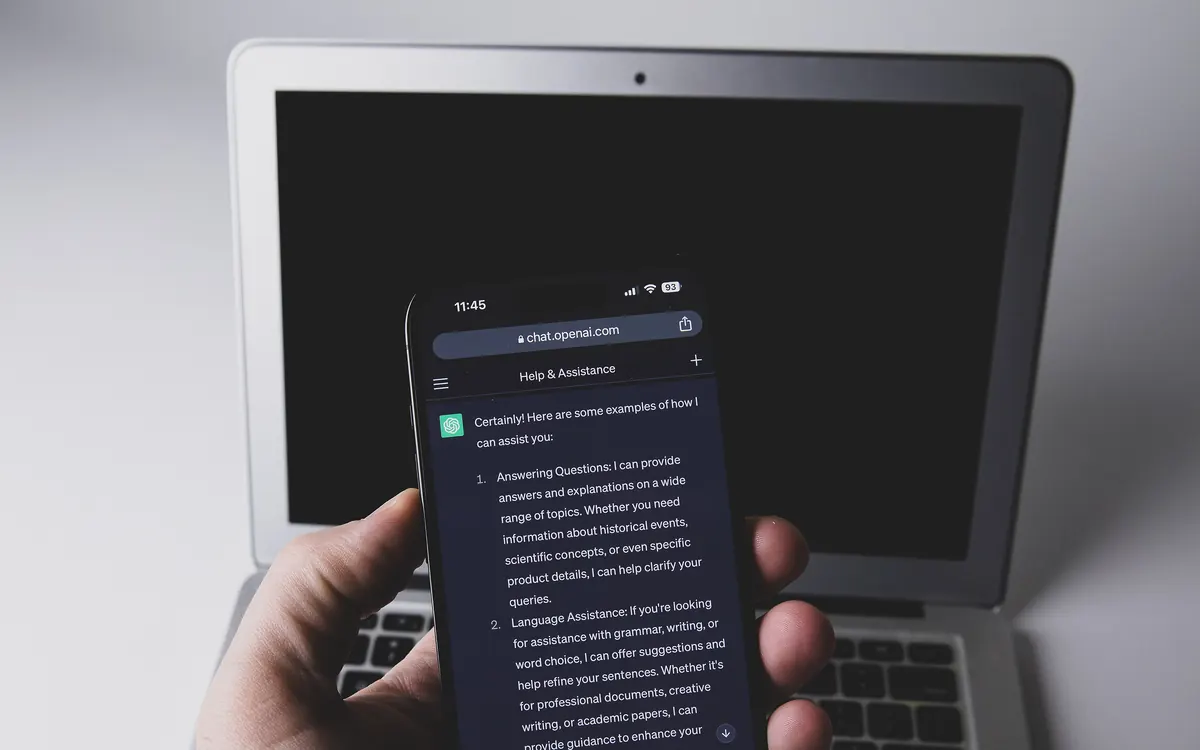
OpenAI has started rolling out Locked Chats in ChatGPT, a way to put individual conversations behind a PIN. It is a useful privacy screen for shared devices and screen sharing, but OpenAI’s own documentation is clear that it is not a vault. Here is what it does, based on Notebookcheck’s write-up and OpenAI’s help page.
How Locked Chats works
Open a conversation’s three-dot menu and choose Lock chat. The first time, ChatGPT asks you to create a four-digit PIN, which then applies to your whole OpenAI account. On iPhone you can use Face ID or Touch ID instead, and on Android your normal device unlock; on iOS that option sits under Settings → Security and login → Account PIN.
Once locked, the chat disappears from your history, pinned chats and normal search. You find it again under Projects, in a section called Locked chats. The lock comes back quickly:
- Phones: access ends after one minute in the background, and Android blanks out screenshots of locked chats.
- Browser: reloading or closing the tab locks everything again.
The feature is rolling out gradually on Free, Go, Plus, Pro, Business, Enterprise and Edu plans, on the web, the iOS and Android apps and the new ChatGPT apps for macOS and Windows. ChatGPT for Healthcare is the only exception. Temporary, archived and group chats cannot be locked, nor can chats with scheduled tasks or chats created from a shared link.
What it does not protect
OpenAI says locking a chat does not create end-to-end encryption or “a separate encrypted vault”. In practice:
- Training: a locked chat follows your account’s Improve the model for everyone setting. If it is on, the conversation can still be used to train OpenAI’s models.
- Memory: anything ChatGPT remembered before you locked the chat stays in Memory.
- Retention: locking does not change how long OpenAI keeps the conversation.
- Workplaces: in Enterprise and Edu, locked chats remain visible in the OpenAI Compliance Platform logs.
- Ads: accounts that see ads in ChatGPT can see them in locked chats too.
So the lock is aimed at people around you, a partner glancing at your laptop or a colleague during a screen share, not at OpenAI or your employer.
The PIN reset trap
The biggest catch: there is no recovery. If you forget the PIN, the only way back is a reset, and that permanently deletes all locked chats, files attached to them and any memories stored only inside them. OpenAI says its support team cannot recover the content, and workspace admins cannot reset the PIN for you. Changing the PIN is safe as long as you know the current one.
Our take
Locked Chats fills a real gap; until now anyone who picked up an unlocked phone could scroll your whole ChatGPT history. But if your concern is what happens to your data, the settings that matter are elsewhere. Our ChatGPT privacy settings guide walks through training opt-out, Temporary Chat, Memory and deleting history. And as the Meta AI share link exposure showed, a “private” AI conversation is only as private as the weakest setting around it.
Frequently asked questions
Are ChatGPT locked chats encrypted?
No. OpenAI says locking a chat does not create end-to-end encryption or a separate encrypted vault. It only hides the chat behind your account PIN or device biometrics.
What happens if I forget my ChatGPT PIN?
You have to reset it, and the reset permanently deletes all locked chats, their files and memories stored only in them. OpenAI support cannot recover them.
Can OpenAI train on locked chats?
Yes, if your Improve the model for everyone setting is on. Locking a chat does not change your training or data retention settings.
More from Computers & AI
View all →Read next

Seattle will add up to 200 curbside EV chargers by 2030
Seattle is letting residents pick sites for up to 200 new curbside Level 2 EV chargers near apartments, with installs from fall 2027 to 2030.
EA shuts BioWare and cancels the next Mass Effect
EA is closing BioWare, the studio behind Mass Effect and Dragon Age, and ending work on the next Mass Effect as it cuts about 400 jobs. What it means for fans.
How to set up a robot vacuum: 10 setup tips that matter
New robot vacuum? Where to put the dock, how to get a clean first map, no-go zones, schedules, Wi-Fi and smart home setup, and the upkeep that keeps it working.