Air cooler vs AIO liquid cooler: which CPU cooler to buy
Air cooler or AIO liquid cooler? How they compare on temperatures, noise, price, reliability and case fit, and which type suits gaming, workstation and SFF PCs.
LandGadget Newsroom · · 7 min read
Quick verdictA good tower air cooler is enough for most gaming PCs; pick a 280–360 mm AIO only for hot, high-core-count CPUs or when you want a clean look and the case fits the radiator.
Jump to the verdict ↓On this page
Every desktop CPU needs a cooler, and the choice usually comes down to two types: a tower air cooler (a metal heatsink with heat pipes and one or two fans) or an AIO liquid cooler (all-in-one: a pump block on the CPU, tubes and a radiator with fans). Marketing makes liquid cooling look like the obvious upgrade. In practice the right answer depends on your CPU, your case and how much you care about noise and looks. This guide compares them honestly, without invented benchmark numbers.
How each type works
Air cooler. A copper base sits on the CPU. Heat pipes carry the heat up into a stack of thin aluminium fins, and a fan pushes air through the fins. Bigger fin stacks and more heat pipes handle more heat. "Dual-tower" designs have two fin stacks and often two fans.
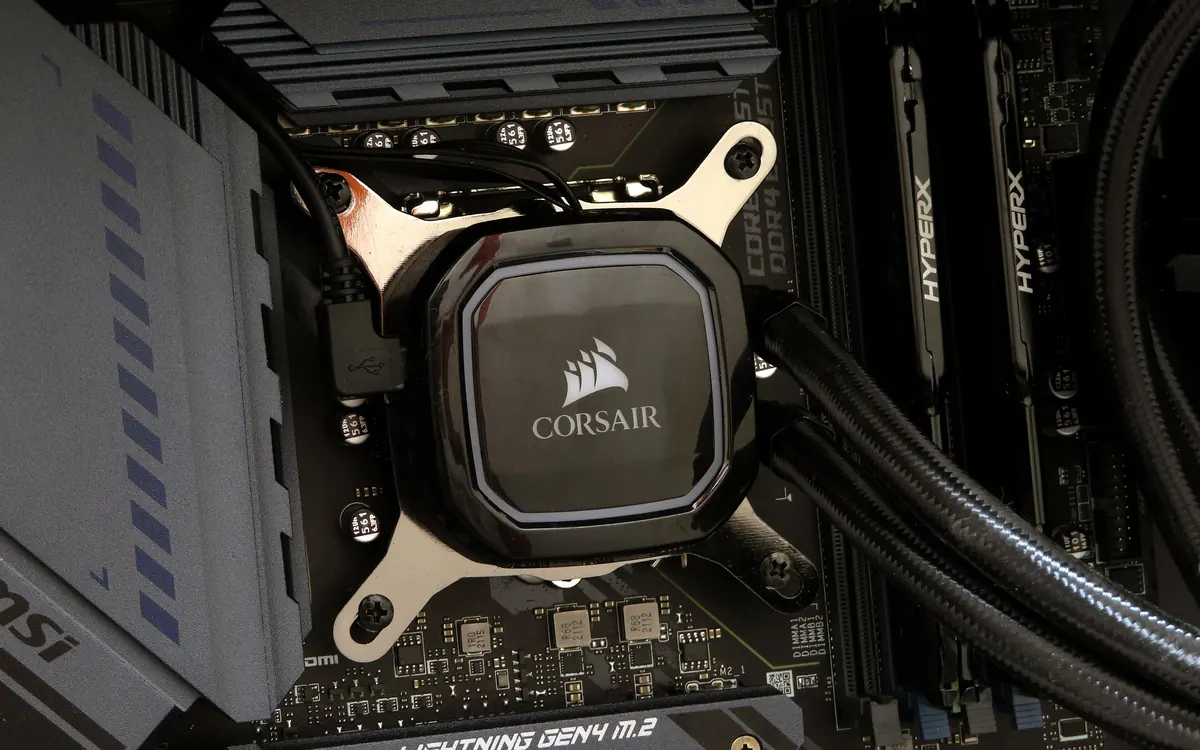
AIO liquid cooler. A cold plate with a small pump sits on the CPU. Liquid absorbs the heat and flows through two tubes to a radiator, usually 120, 240, 280 or 360 mm long, where fans blow air through it. The loop is sealed at the factory, so you never fill or drain it.
Both end up doing the same thing: dumping CPU heat into the air inside or outside your case. Liquid simply lets you move the fins to a better spot, typically the top or front of the case, and spread them over a larger area.
Air vs AIO at a glance
| Tower air cooler | AIO liquid cooler | |
|---|---|---|
| Cooling headroom | Great on most CPUs; big dual-towers handle high-end gaming chips | 240 mm ≈ good air cooler; 280–360 mm best for very hot CPUs under long loads |
| Noise | Fans only; quiet at low and medium load | Fans plus a pump that can hum or buzz on some units |
| Price | Usually cheaper for the same cooling | Usually more expensive |
| Failure points | Fans (cheap, easy to replace) | Pump, tubes, possible leak; whole unit is replaced |
| Fit concerns | Cooler height, RAM clearance, side panel | Radiator size and mounting points in the case |
Cooling performance: when liquid actually wins
For a mainstream gaming CPU, a quality single- or dual-tower air cooler keeps temperatures well within safe limits. A 240 mm AIO performs in the same league, so you are mostly paying for looks and space around the socket.
Liquid pulls ahead in two situations:
- Very hot, high-core-count CPUs running long all-core loads such as rendering, compiling or video encoding. A 280 or 360 mm radiator has more fin area than any tower that fits a normal case.
- Short bursts of heavy load. The liquid soaks up heat for a while before temperatures settle, so short spikes feel smoother.
A 120 mm AIO, on the other hand, often cools no better than a mid-range air cooler and can be louder, so it rarely makes sense outside very small cases.
Remember that modern CPUs are designed to boost until they hit a temperature or power limit. Reaching high temperatures under full load does not always mean the cooler is failing. Check our guide to what a normal CPU temperature is before you decide you need a bigger cooler, and use these free tools to check CPU temperature under a realistic load.
Noise
Both types are as loud as their fans. Big air coolers with 140 mm fans can be very quiet because the fans spin slowly. AIOs add a pump: most are silent in a closed case, but some units hum, rattle or make gurgling sounds, especially if air is trapped in the pump. Mounting the radiator so the pump is not the highest point of the loop helps. If silence matters most, a large air cooler with a sensible fan curve is the safer bet.
Reliability and lifespan
An air cooler is a block of metal; the only moving part is the fan, and a replacement fan is cheap. It can easily outlive several CPUs.
An AIO has a pump that wears over time, and the liquid slowly permeates through the tubes over years. Leaks are rare, but when a pump dies, you replace the whole unit, and a dead pump means the CPU overheats quickly. Check the warranty length before buying and choose a well-known brand. Temperatures that creep up over months can point to a tiring pump, though old thermal paste is a more common cause; our thermal paste guide covers when to replace it.
Fit and installation
Measure before you buy:
- Air cooler height. Your case lists a maximum CPU cooler height; the cooler's spec sheet lists its height. Leave a few millimetres of margin.
- RAM clearance. Wide towers can overhang the first memory slot. Tall RAM heat spreaders may need the fan raised.
- Radiator support. Check which radiator sizes the case accepts on top and front, and whether there is room for the radiator plus fans above the motherboard.
- Socket support. Make sure the cooler includes brackets for your socket (for example AM5 or LGA1851).
Installing an air cooler is usually simpler. AIOs need you to plan radiator placement and tube routing, but they free up space around the CPU and make RAM and motherboard access easier.
Which one should you buy?
+ Pros
- Air: cheaper, fewer failure points, very quiet when large
- Air: easy fan replacement and long life
- AIO: more headroom on hot CPUs with a 280–360 mm radiator
- AIO: clean look and clear space around the socket
− Cons
- Air: big towers block RAM and windows, and add weight on the motherboard
- AIO: pump noise and finite pump life
- AIO: costs more and the whole unit is replaced if it fails
- AIO: 120 mm models rarely beat a good air cooler
- Mainstream gaming PC: a good tower air cooler. Spend the savings on the GPU; our PC upgrade guide explains why that usually matters more for frame rates.
- High-end CPU for rendering or long all-core work: a 280 or 360 mm AIO, or the biggest dual-tower air cooler your case fits.
- Small form factor case: depends on the case. Some only fit low-profile air coolers, others are designed around a 240 mm radiator.
- Show build with a glass panel: an AIO gives the clean look many builders want.
Our verdict
Air for most builds, a 280–360 mm AIO for hot CPUs
For the typical gaming PC, a well-reviewed tower air cooler gives you the same everyday results as a 240 mm AIO for less money and with less to go wrong. Choose an AIO when your CPU runs hot under long loads, your case supports a 280 or 360 mm radiator, or you want a clear view of the motherboard. Whichever you pick, a clean mount and the right amount of thermal paste matter as much as the cooler.
Frequently asked questions
Is liquid cooling better than air cooling?
Not automatically. A 240 mm AIO performs about the same as a good tower air cooler on most CPUs. Larger 280 or 360 mm AIOs have an advantage on very hot CPUs under long all-core loads.
How long does an AIO liquid cooler last?
It depends on the pump and the model. AIOs are sealed and slowly lose liquid over years, so they don't last as long as an air cooler. Check the manufacturer's warranty and watch for rising temperatures or new pump noise.
Can an AIO cooler leak?
Leaks are rare with reputable brands, but they are possible because the loop contains liquid. Air coolers have no liquid and cannot leak.
Do I need liquid cooling for gaming?
Usually not. Games load the GPU more than the CPU, and a quality air cooler keeps mainstream gaming CPUs within safe temperatures.
Does the cooler come with thermal paste?
Most air coolers and AIOs ship with paste pre-applied or in a small tube. If you remount the cooler, clean off the old paste and apply fresh paste.
More from Computers & AI
View all →Read next

Best Monitor Size for Gaming: 24 vs 27 vs 32 Inch
What monitor size is best for gaming? Compare 24, 27, 32-inch and ultrawide screens by resolution, pixel density, desk distance, GPU power and the games you play.

Bluetooth Codecs Explained: SBC vs AAC vs aptX vs LDAC vs LC3
What Bluetooth audio codecs actually change: SBC, AAC, aptX, LDAC and LE Audio's LC3 compared — sound, latency, battery and which phones support which codec.

Electric motorcycle buying guide: range, charging, licence
How to choose an electric motorcycle: real-world range, battery size, home and fast charging, licence classes, running costs and what to check before you buy.